
Skip to content

Audio Evolution vs LoopRecorder (VST/AU plugin, Standalone)

Professional comparison and analysis to help you choose the right software solution for your needs.

Audio Evolution icon
Audio Evolution
LoopRecorder (VST/AU plugin, Standalone) icon
LoopRecorder (VST/AU plugin, Standalone)

Audio Evolution vs LoopRecorder (VST/AU plugin, Standalone): The Verdict

⚡ Summary:

Audio Evolution: Audio Evolution is a digital audio workstation and music creation software for Windows. It allows you to record, edit, and mix audio with various effects and virtual instruments. Useful for music production, podcasting, and audio editing.

LoopRecorder (VST/AU plugin, Standalone): LoopRecorder is a VST/AU plugin and standalone application for audio loop recording. It allows musicians to easily capture audio in real-time and turn those recordings into loops.

Both tools serve their respective audiences. Compare the features, pricing, and user ratings above to determine which best fits your needs.

Last updated: May 2026 · Comparison by Sugggest Editorial Team

Feature Audio Evolution LoopRecorder (VST/AU plugin, Standalone)
Sugggest Score
Category Audio & Music Audio & Music

Product Overview

Audio Evolution
Audio Evolution

Description: Audio Evolution is a digital audio workstation and music creation software for Windows. It allows you to record, edit, and mix audio with various effects and virtual instruments. Useful for music production, podcasting, and audio editing.

Type: software
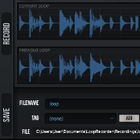
LoopRecorder (VST/AU plugin, Standalone)

Description: LoopRecorder is a VST/AU plugin and standalone application for audio loop recording. It allows musicians to easily capture audio in real-time and turn those recordings into loops.

Type: software

Key Features Comparison

Audio Evolution
Audio Evolution Features
  • Multi-track audio recording
  • Non-destructive editing
  • Audio effects like reverb, delay, EQ, compression
  • Virtual instruments
  • MIDI sequencing and editing
  • Audio restoration tools
  • Support for VST plugins
  • Audio analysis tools like spectrum analyzer
  • Audio file conversion
  • Audio CD burning
  • Batch audio processing
LoopRecorder (VST/AU plugin, Standalone)
LoopRecorder (VST/AU plugin, Standalone) Features
  • Real-time audio loop recording
  • Supports VST, AU, AAX plugin formats
  • Standalone application available
  • Loop slicing and editing tools
  • Timestretching and pitch shifting
  • Audio effects like EQ, compression, reverb
  • MIDI support for controlling transport
  • Audio export to WAV, AIFF, MP3, OGG
  • Ableton Link integration

Pros & Cons Analysis

Audio Evolution
Audio Evolution

Pros

  • Intuitive and easy to use interface
  • Powerful editing and mixing capabilities
  • Support for many audio formats and plugins
  • Great value for money compared to other DAWs

Cons

  • Limited to Windows platform only
  • Not as fully featured as some competitor DAWs
  • Lacks collaboration features
LoopRecorder (VST/AU plugin, Standalone)

Pros

  • Intuitive and easy to use interface
  • Powerful loop manipulation capabilities
  • Tight integration with DAWs as a plugin
  • Standalone version for use without a DAW
  • Support for all major plugin formats

Cons

  • Can only record one loop at a time
  • No advanced audio editing features
  • Standalone version lacks some features of plugin
  • No support for iOS or mobile devices

Ready to Make Your Decision?

Explore more software comparisons and find the perfect solution for your needs