
Skip to content

FileBot vs Movie Renamer

Professional comparison and analysis to help you choose the right software solution for your needs. Compare features, pricing, pros & cons, and make an informed decision.

FileBot icon
FileBot
Movie Renamer icon
Movie Renamer

Expert Analysis & Comparison

FileBot — FileBot is a tool for organizing and renaming media files such as movies, TV shows, anime, and music. It fetches media file information from online databases to correctly label and sort files.

Movie Renamer — Movie Renamer is a Windows application that allows users to easily rename their movie files and organize them into folders. It can automatically fetch movie metadata and name files based on title, yea

FileBot offers Automatically renames and organizes media files based on online databases, Supports many file types like movies, TV shows, anime, music, etc, Fetches metadata like titles, episode numbers, release years, etc, Allows custom renaming and organizing rules, Available on Windows, Mac, Linux, while Movie Renamer provides Automatically renames movie files based on metadata, Fetches movie metadata from online databases, Organizes movies into folders by title, year, resolution, etc., Supports bulk renaming of multiple files, Preview renaming before applying changes.

FileBot stands out for Saves time by automating file organization, Very customizable renaming and sorting options, Works with many media types and formats; Movie Renamer is known for Saves time by automating renaming and organizing, Very customizable naming and folder options, Intuitive and easy to use interface.

Why Compare FileBot and Movie Renamer?

When evaluating FileBot versus Movie Renamer, both solutions serve different needs within the file management ecosystem. This comparison helps determine which solution aligns with your specific requirements and technical approach.

Market Position & Industry Recognition

FileBot and Movie Renamer have established themselves in the file management market. Key areas include renaming, organizing, media-files.

Technical Architecture & Implementation

The architectural differences between FileBot and Movie Renamer significantly impact implementation and maintenance approaches. Related technologies include renaming, organizing, media-files, movies.

Integration & Ecosystem

Both solutions integrate with various tools and platforms. Common integration points include renaming, organizing and rename, organize.

Decision Framework

Consider your technical requirements, team expertise, and integration needs when choosing between FileBot and Movie Renamer. You might also explore renaming, organizing, media-files for alternative approaches.

Feature FileBot Movie Renamer
Overall Score N/A N/A
Primary Category File Management Video & Movies

Product Overview

FileBot
FileBot

Description: FileBot is a tool for organizing and renaming media files such as movies, TV shows, anime, and music. It fetches media file information from online databases to correctly label and sort files.

Type: software

Movie Renamer
Movie Renamer

Description: Movie Renamer is a Windows application that allows users to easily rename their movie files and organize them into folders. It can automatically fetch movie metadata and name files based on title, year, resolution, etc.

Type: software
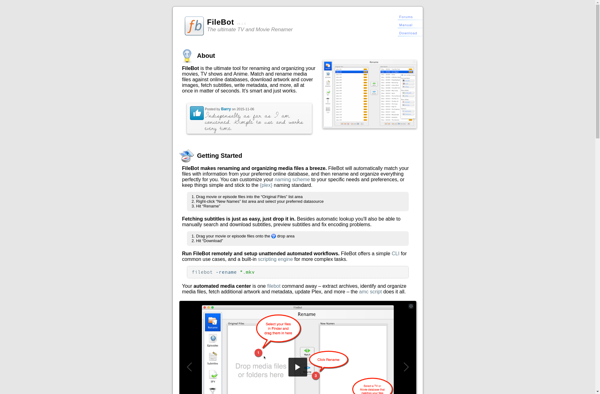
Key Features Comparison

FileBot
FileBot Features
  • Automatically renames and organizes media files based on online databases
  • Supports many file types like movies, TV shows, anime, music, etc
  • Fetches metadata like titles, episode numbers, release years, etc
  • Allows custom renaming and organizing rules
  • Available on Windows, Mac, Linux
  • Command line and GUI versions available
Movie Renamer
Movie Renamer Features
  • Automatically renames movie files based on metadata
  • Fetches movie metadata from online databases
  • Organizes movies into folders by title, year, resolution, etc.
  • Supports bulk renaming of multiple files
  • Preview renaming before applying changes
  • Undo feature to revert changes
  • Customizable naming formats and folder structures
  • Regular expression support for advanced renaming
  • Handles files from portable devices like GoPro

Pros & Cons Analysis

FileBot
FileBot
Pros
  • Saves time by automating file organization
  • Very customizable renaming and sorting options
  • Works with many media types and formats
  • Actively developed and maintained
  • Free and open source version available
Cons
  • Steep learning curve
  • Can be slow when processing large libraries
  • Requires good metadata sources to work properly
  • Advanced features require purchase of license
Movie Renamer
Movie Renamer
Pros
  • Saves time by automating renaming and organizing
  • Very customizable naming and folder options
  • Intuitive and easy to use interface
  • Helpful for managing large libraries of movies
  • Free and open source
Cons
  • May not work well for obscure or very old movies
  • Can take awhile to process large batches of files
  • Requires Windows OS
  • Limited support for non-movie files

Get More Information

Ready to Make Your Decision?

Explore more software comparisons and find the perfect solution for your needs
