
Skip to content

MuseScore vs Neuratron AudioScore

Professional comparison and analysis to help you choose the right software solution for your needs.

MuseScore icon
MuseScore
Neuratron AudioScore icon
Neuratron AudioScore

MuseScore vs Neuratron AudioScore: The Verdict

Last updated: May 2026 · Comparison by Sugggest Editorial Team

Feature MuseScore Neuratron AudioScore
Sugggest Score
Category Audio & Music Audio & Music
Pricing Free

Product Overview

MuseScore
MuseScore

Description: MuseScore is an open source and free music notation software. It allows users to create, edit, listen to and print sheet music. MuseScore can import and export MusicXML and MIDI files.

Type: software

Pricing: Free
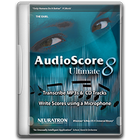
Neuratron AudioScore

Description: Neuratron AudioScore is a music notation software that allows users to write, edit, print, play back, and publish musical scores. It has advanced features for engraving, audio integration, MIDI input, and more.

Type: software

Key Features Comparison

MuseScore
MuseScore Features
  • Notation editing
  • MIDI input
  • Audio output
  • MusicXML support
  • Plugin support
  • Score sharing and publishing
Neuratron AudioScore
Neuratron AudioScore Features
  • Music notation and scoring
  • Real-time audio-to-notation transcription
  • MIDI input
  • Music scanning and OMR
  • Playback via internal synthesizer or external MIDI devices
  • Music publishing and sharing
  • Engraving and layout tools
  • Supports guitar tablature notation
  • VST plugin hosting

Pros & Cons Analysis

MuseScore
MuseScore
Pros
  • Free and open source
  • Intuitive and easy to use interface
  • Powerful notation and editing capabilities
  • Supports a wide range of formats
  • Large library of sounds and instruments
  • Active community support
Cons
  • Limited customization compared to paid options
  • No native support for audio recording
  • Fewer specialized tools than professional packages
  • Can be resource intensive for large scores
Neuratron AudioScore
Pros
  • Powerful and intuitive notation and scoring
  • Accurate audio transcription
  • Flexible MIDI and audio integration
  • Useful tools for scanning and digitizing scores
  • High quality playback
  • Comprehensive engraving and publishing features
  • Good value for money
Cons
  • Steep learning curve
  • Limited third-party sound library support
  • No support for collaborative editing
  • Lacks some advanced engraving features of premium packages
  • Transcription accuracy can be hit or miss at times

Pricing Comparison

MuseScore
MuseScore
  • Free
Neuratron AudioScore
  • Not listed

Ready to Make Your Decision?

Explore more software comparisons and find the perfect solution for your needs