Skip to content

Ostinato vs Termshark

Professional comparison and analysis to help you choose the right software solution for your needs.

Ostinato icon
Ostinato
Termshark icon
Termshark

Ostinato vs Termshark: The Verdict

Last updated: May 2026 · Comparison by Sugggest Editorial Team

Feature Ostinato Termshark
Sugggest Score
Category Network & Admin Network & Admin
Pricing Open Source

Product Overview

Ostinato
Ostinato

Description: Ostinato is an open-source, cross-platform network packet generator and traffic analyzer. It can generate and analyze various types of network traffic for testing and monitoring purposes.

Type: software

Pricing: Open Source

Termshark
Termshark

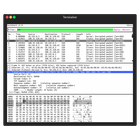
Description: Termshark is a terminal based network protocol analyzer. It allows you to inspect network traffic and analyze packets, similar to Wireshark, but runs in a terminal instead of a graphical interface.

Type: software

Key Features Comparison

Ostinato
Ostinato Features
  • Traffic generation and analysis
  • Supports Ethernet, IPv4/IPv6, TCP, UDP, VLAN, ARP, ICMP, DHCP, DNS, HTTP, etc
  • Custom protocol construction using Python
  • Command line interface
  • Graphical user interface
Termshark
Termshark Features
  • Captures live packet data from network interfaces
  • Displays packets in a terminal user interface
  • Filters packets using display filters
  • Analyzes protocols including TCP, UDP, HTTP, DNS, and more
  • Supports common capture file formats like PCAP and PCAPNG
  • Runs natively in Linux terminal without a GUI
  • Built on top of TShark and Wireshark libraries

Pros & Cons Analysis

Ostinato
Ostinato
Pros
  • Open source and cross-platform
  • Powerful feature set
  • Intuitive GUI
  • Customizable via Python scripts
  • Active development community
Cons
  • Steep learning curve
  • Limited documentation
  • GUI can be slow on low-end hardware
Termshark
Termshark
Pros
  • Lightweight terminal-based interface
  • No GUI overhead or dependencies
  • Works over SSH connections
  • Fast and responsive for analyzing live captures
  • Powerful display filters
  • Leverages Wireshark protocol analysis
Cons
  • Less intuitive than GUI-based Wireshark
  • Steeper learning curve for terminal usage
  • Limited to keyboard-based interaction
  • Harder to visualize packet flows
  • No built-in statistical summaries

Pricing Comparison

Ostinato
Ostinato
  • Open Source
Termshark
Termshark
  • Not listed

Related Comparisons

Ready to Make Your Decision?

Explore more software comparisons and find the perfect solution for your needs