Skip to content

ShaPlus Typing Game vs TypeRacer

Professional comparison and analysis to help you choose the right software solution for your needs.

ShaPlus Typing Game icon
ShaPlus Typing Game
TypeRacer icon
TypeRacer

ShaPlus Typing Game vs TypeRacer: The Verdict

⚡ Summary:

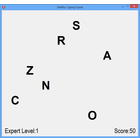
ShaPlus Typing Game: ShaPlus Typing Game is a free typing tutor program that helps users learn touch typing and improve their typing speed and accuracy. It features different levels, texts, and games to make practicing typing fun.

TypeRacer: TypeRacer is a free online typing game that allows users to race against the clock by typing quotes and passages as quickly and accurately as possible. Players compete against one another in real-time races or practice typing to improve their speed and accuracy.

Both tools serve their respective audiences. Compare the features, pricing, and user ratings above to determine which best fits your needs.

Last updated: May 2026 · Comparison by Sugggest Editorial Team

Feature ShaPlus Typing Game TypeRacer
Sugggest Score
Category Games Games

Product Overview

ShaPlus Typing Game
ShaPlus Typing Game

Description: ShaPlus Typing Game is a free typing tutor program that helps users learn touch typing and improve their typing speed and accuracy. It features different levels, texts, and games to make practicing typing fun.

Type: software
TypeRacer
TypeRacer

Description: TypeRacer is a free online typing game that allows users to race against the clock by typing quotes and passages as quickly and accurately as possible. Players compete against one another in real-time races or practice typing to improve their speed and accuracy.

Type: software

Key Features Comparison

ShaPlus Typing Game
ShaPlus Typing Game Features
  • Multiple typing lessons and difficulty levels
  • Supports multiple languages like English, Spanish, French etc.
  • Lessons focus on improving typing speed and accuracy
  • Includes typing games and challenges
  • Tracks your typing speed and accuracy metrics
  • Customizable keyboard layouts
  • Statistics to monitor your progress over time
TypeRacer
TypeRacer Features
  • Racing against other typists in real-time
  • Practicing typing skills to improve speed and accuracy
  • Competing in different categories based on quote length
  • Global leaderboards and elo rating system
  • Customizing your typing avatar
  • Chat system to communicate during races
  • Guest mode available without registration

Pros & Cons Analysis

ShaPlus Typing Game
ShaPlus Typing Game

Pros

  • Free to use
  • Fun and engaging way to learn typing
  • Caters to different skill levels
  • Improves typing speed and accuracy
  • Tracks progress and statistics
  • Supports multiple languages
  • Customizable options

Cons

  • Limited number of lessons and games
  • Basic graphics and design
  • Can feel repetitive after some time
  • Lacks cloud sync or account features
  • Only available on Windows
  • Might not be useful for advanced typists
TypeRacer
TypeRacer

Pros

  • Fun and engaging way to improve typing skills
  • Healthy competition motivates faster typing
  • Leaderboards encourage skill development
  • Free access to core typing game
  • Supports many languages

Cons

  • Can be distracting if used during work/study
  • Potential for inappropriate chat messages
  • Only basic features available for free
  • Requires fast internet connection to avoid lag

Ready to Make Your Decision?

Explore more software comparisons and find the perfect solution for your needs