Skip to content

VisSim vs Yakindu Statechart Tools

Professional comparison and analysis to help you choose the right software solution for your needs. Compare features, pricing, pros & cons, and make an informed decision.

VisSim icon
VisSim
Yakindu Statechart Tools icon
Yakindu Statechart Tools

Expert Analysis & Comparison

VisSim — VisSim is a visual block diagram language used for simulating dynamic systems and modeling physical processes. It enables fast creation and iteration of models using a drag-and-drop interface.

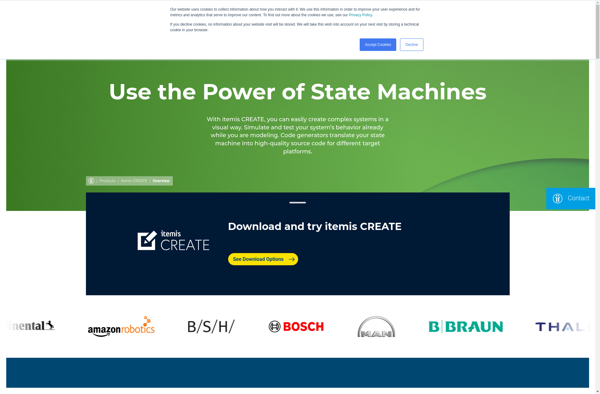
Yakindu Statechart Tools — Yakindu Statechart Tools is an open-source modeling tool for developing reactive, event-driven systems and complex business logic. It is based on statecharts and provides a graphical editor, code gene

VisSim offers Drag-and-drop interface for building models visually, Large library of built-in blocks for math, signal processing, control systems, etc, Simulation engine for running models in real-time or faster than real-time, Automated code generation for creating executable code from models, Import/export capabilities to interface with MATLAB, Simulink, C/C++, Excel, etc, while Yakindu Statechart Tools provides Graphical editor for creating statecharts, Code generators for C, C++, Java and Python, Simulation and debugging, Test case generation, Documentation generation.

VisSim stands out for Intuitive visual interface speeds up model creation, No programming required for many applications, Fast simulation speeds compared to text-based math tools; Yakindu Statechart Tools is known for Open source and free, Support for multiple languages via code generators, Good for developing reactive, event-driven systems.

Pricing: VisSim (not listed) vs Yakindu Statechart Tools (Open Source).

Why Compare VisSim and Yakindu Statechart Tools?

When evaluating VisSim versus Yakindu Statechart Tools, both solutions serve different needs within the development ecosystem. This comparison helps determine which solution aligns with your specific requirements and technical approach.

Market Position & Industry Recognition

VisSim and Yakindu Statechart Tools have established themselves in the development market. Key areas include visual-programming, dynamic-systems, modeling.

Technical Architecture & Implementation

The architectural differences between VisSim and Yakindu Statechart Tools significantly impact implementation and maintenance approaches. Related technologies include visual-programming, dynamic-systems, modeling, simulation.

Integration & Ecosystem

Both solutions integrate with various tools and platforms. Common integration points include visual-programming, dynamic-systems and statecharts, modeling.

Decision Framework

Consider your technical requirements, team expertise, and integration needs when choosing between VisSim and Yakindu Statechart Tools. You might also explore visual-programming, dynamic-systems, modeling for alternative approaches.

Feature VisSim Yakindu Statechart Tools
Overall Score N/A N/A
Primary Category Development Development
Pricing N/A Open Source

Product Overview

VisSim
VisSim

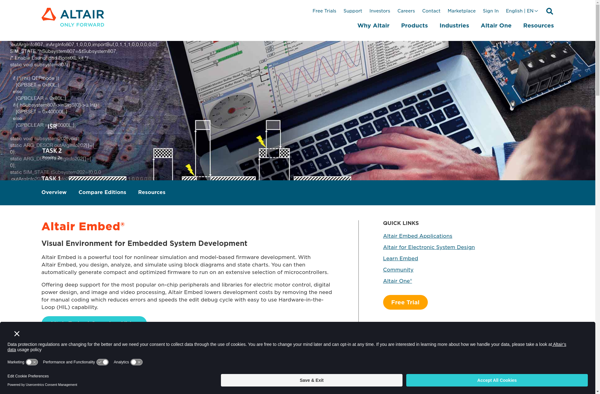
Description: VisSim is a visual block diagram language used for simulating dynamic systems and modeling physical processes. It enables fast creation and iteration of models using a drag-and-drop interface.

Type: software

Yakindu Statechart Tools

Description: Yakindu Statechart Tools is an open-source modeling tool for developing reactive, event-driven systems and complex business logic. It is based on statecharts and provides a graphical editor, code generators, simulation, debugging, test case generation, and documentation generation.

Type: software

Pricing: Open Source
Key Features Comparison

VisSim
VisSim Features
  • Drag-and-drop interface for building models visually
  • Large library of built-in blocks for math, signal processing, control systems, etc
  • Simulation engine for running models in real-time or faster than real-time
  • Automated code generation for creating executable code from models
  • Import/export capabilities to interface with MATLAB, Simulink, C/C++, Excel, etc
  • Customizable block creation for building new blocks
  • Data visualization tools for plots, scopes, histograms, etc
  • Linearization tools for analyzing models around operating points
Yakindu Statechart Tools
Yakindu Statechart Tools Features
  • Graphical editor for creating statecharts
  • Code generators for C, C++, Java and Python
  • Simulation and debugging
  • Test case generation
  • Documentation generation

Pros & Cons Analysis

VisSim
VisSim
Pros
  • Intuitive visual interface speeds up model creation
  • No programming required for many applications
  • Fast simulation speeds compared to text-based math tools
  • Seamless integration with other math and engineering tools
  • Reduced development time compared to programming models by hand
Cons
  • Less flexibility than general purpose programming languages
  • Limited to math/engineering-focused applications
  • Steep learning curve for advanced features
  • Add-on products required for some functionality
  • Not open source
Yakindu Statechart Tools
Pros
  • Open source and free
  • Support for multiple languages via code generators
  • Good for developing reactive, event-driven systems
  • Helpful tools like simulation, debugging and test case generation
Cons
  • Limited community and support compared to commercial tools
  • Steep learning curve for those new to statecharts
  • Lacks some features like requirements tracing found in commercial tools

Pricing Comparison

VisSim
VisSim
  • Not listed
Yakindu Statechart Tools
  • Open Source

Get More Information

Ready to Make Your Decision?

Explore more software comparisons and find the perfect solution for your needs