Cached Pages is a browser extension that allows users to save web pages locally to view them offline later. It keeps a cache of pages you visit so you can access them when internet connectivity is limited.
What is Cached Pages?
Cached Pages is a browser extension available for Chrome, Firefox, and Edge. It provides the ability to save web pages you visit for offline access at a later time. When you install Cached Pages, it will automatically store local copies of pages as you browse the internet.
The key benefit of Cached Pages is that it allows you to view saved web pages when you do not have an internet connection available. For example, if you are traveling somewhere without Wi-Fi, you can pull up websites you previously visited and viewed the cached versions stored by the extension.
In addition to offline access, Cached Pages helps pages load faster on subsequent visits. If you revisit a website, the local cached version will load instead of having to re-download the content. This can make repeat browsing much quicker.
Cached Pages includes options to control how long cached content is stored and how much disk space is utilized. The extension will automatically clear out old cached pages over time. There is also a viewer inside Cached Pages to see all your saved pages in one place and manage them.
Overall, Cached Pages is useful for researching topics of interest ahead of time before going offline. It also improves performance by using cached versions of sites instead of downloading the same assets repeatedly.
Cached Pages Features
Features
Saves web pages locally to device storage
Lets you access saved pages when offline
Syncs saved pages across devices
Has browser extensions for Chrome, Firefox, etc
Lets you organize saved pages into collections
Pricing
Free
Pros
Helps you view pages when internet is limited
Good for researching/archiving pages you want to keep
Syncs pages between devices so your cache is available everywhere
Easy to save pages with browser extensions
Completely free with no limits on usage or storage
Cons
Requires manual saving of each page (no auto-caching)
No cloud sync or account login
Limited organizational features compared to full bookmarking services
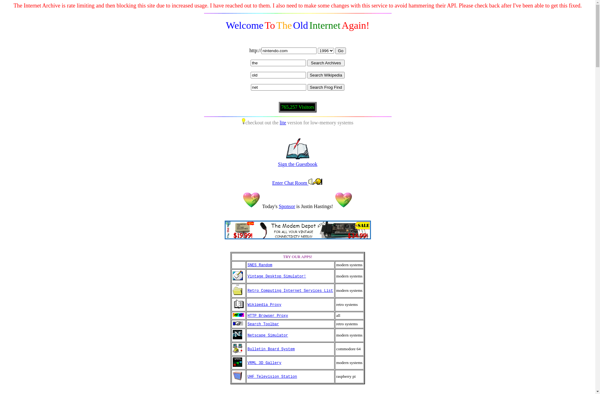
TheOldNet is a free and open-source web application that gives users access to archived and cached versions of websites. It serves as a proxy that retrieves pages from various web archives around the world, such as the Wayback Machine, Archive.Today, Google Cache, and more.By entering a URL into TheOldNet, it...
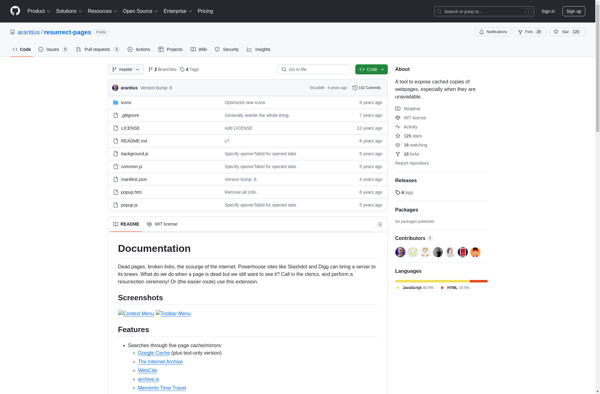
Resurrect Pages is a browser extension available for Firefox, Chrome, and Chromium-based browsers that helps users recover lost or changed web pages. When you try to access a page that no longer exists or has changed significantly, Resurrect Pages will automatically search Internet archives and caches to find working versions...
ViewCached.com is a free online caching and archiving service that allows you to view historical snapshots of web pages going back many years. It works by accessing cached page data from multiple sources like search engine caches and web archives.Some key features and benefits of using ViewCached.com include:Retrieve deleted or...
Cached View is a browser extension available for Google Chrome, Firefox, and Safari. It allows users to save web pages they visit for offline access and reading later. When Cached View is enabled, it automatically stores copies of pages you view in your browser's cache.The key benefit of Cached View...
A web cache, also called an HTTP cache, is a mechanism for the temporary storage (caching) of web documents, such as HTML pages, images, and files, to reduce bandwidth usage, server load, and perceived lag. A web cache stores copies of resources that have been requested by users to speed...
DeadURL.com is a free online service that checks the status of websites and URLs to see if they are active and working properly. It is useful for testing links and identifying dead or broken pages.To use DeadURL.com, simply enter a URL into the search bar on their homepage. The tool...
Snapchive is a privacy-focused alternative to Snapchat that was created in 2019. It offers many of the same core features as Snapchat, such as disappearing photo and video messages, but with a stronger emphasis on user privacy and security.Some of the key features that differentiate Snapchive include:End-to-end encryption for all...
Amazon ElastiCache is a fully managed in-memory caching service offered by Amazon Web Services (AWS). It provides fast, reliable caching for applications to improve response times and scalability.ElastiCache supports two popular open-source caching engines: Redis and Memcached. Both engines allow storing data in memory for low-latency data retrieval. Redis also...
Fierr is a free, open-source RSS feed reader and news aggregator software available across Windows, Mac, and Linux platforms. Originally developed by students at the University of Vienna in Austria, Fierr has grown into a popular feed reader praised for its speed, customizability, and intuitive interface.As an RSS reader, Fierr...
ErrorZilla Plus is a comprehensive bug and error tracking software designed for development teams. It allows developers to log JavaScript, PHP, Ruby, Python, and other errors in web applications to a centralized dashboard for tracking and fixing issues faster.Key features of ErrorZilla Plus include:Customizable error logs with full call stacks,...
Methuselah is an open-source software program focused on research into extending the healthy human lifespan. It was created by a non-profit medical research organization dedicated to understanding the biological mechanisms of aging and finding interventions that can slow aging and extend healthy lifespans.The software uses artificial intelligence and machine learning...
TryAgain is a cloud-based task and project management solution designed to help both individuals and teams organize work, track progress, and boost productivity. With its user-friendly interface, TryAgain makes it easy to create tasks, set due dates, assign responsibilities, manage workflows, and monitor the progress of multiple projects from start...