CodeBitt is an open-source code snippet manager that allows developers to organize, tag, search and share their code snippets. It has features like syntax highlighting, version control, and integration with popular editors.
An open-source code snippet manager for developers, featuring organization, tagging, search, sharing, syntax highlighting, version control, and integration with popular editors.
What is CodeBitt?
CodeBitt is an open-source code snippet manager built specifically for software developers to organize, tag, search and share bits of code. It serves as a central repository to store code snippets, Integrated Development Environment (IDE) commands, notes, and more.
Some key features of CodeBitt include:
Syntax highlighting for over 60 programming languages
Version control of snippets using Git
Tagging snippets for easy search and organization
Note taking alongside code snippets
Browser extensions for easy capture of snippets from web pages
Integration with popular code editors like VS Code, Atom and Sublime Text for easy access to snippet library
Collaboration tools to share snippets with other developers
Customizable interface with multiple themes
Available on Linux, Mac and Windows platforms
With its features tailored specifically for developers, CodeBitt helps reduce duplicative work, foster collaboration and boost productivity for engineering teams. Whether it's for storing commonly used utility functions, design pattern implementations, configurations, Interview questions or more - CodeBitt serves as your personal, searchable stash of code to access anytime, anywhere.
Rentry.co is an innovative software rental platform that is changing the way businesses and individuals access the tools they need. Instead of requiring large upfront investments to purchase software licenses and subscriptions, Rentry.co allows users to rent top software tools on-demand for flexible monthly payments.With Rentry.co, you only pay for...
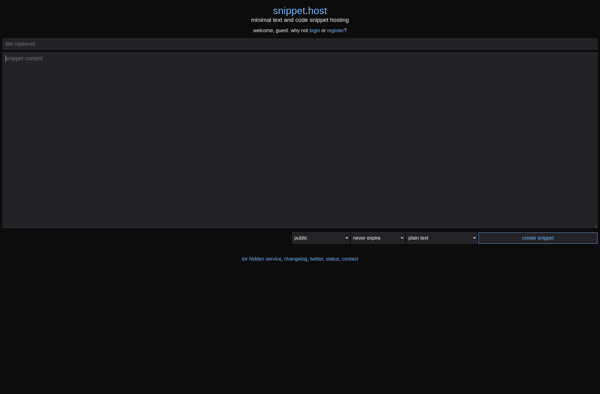
snippet.host is an online code snippet manager that provides a simple way to store, organize, share, and access code snippets from any device. Some key features of snippet.host include:Intuitive browser-based interface for easily creating, editing, searching, and organizing code snippetsSupport for over 45 programming languages with automatic syntax highlightingAbility to...
paste-bin.xyz is a lightweight website that allows users to store plaintext online for a set period of time. It serves as an easy way to share text information on the internet without needing storage on your own server.Users can paste text into a form on the paste-bin.xyz website, set an...
Browxy is a privacy and security focused web browser that aims to protect users while browsing the internet. Some key features include:Built-in ad blocking and tracker blocking to prevent ads and trackers from following users across sitesEncrypted DNS to prevent DNS spoofing attacksSupport for Tor and VPN integrations for enhanced...
Tempaste is a free online text storage and sharing tool. It allows users to easily paste text, code snippets, notes, and more into the website to temporarily store the information. Some key features of Tempaste include:Minimalist interface - Tempaste has a very simple, clutter-free design with no ads or other...
PasteFree.net is a free online text sharing and storage service where users can store snippets of text, code, logs and more for a set period of time. It works like a basic online notepad tool, with the key difference that the pasted text is automatically deleted after the chosen expiry...
CopyCoding is a versatile code snippet manager and knowledge sharing platform designed specifically for software developers and development teams. It provides a central place to store, organize, search and share little code snippets, longer code examples, code templates, text notes and more.Some of the key features of CopyCoding include:- Custom...
Pastery is a screenshot capture and sharing utility for Windows and macOS. It provides an easy way to quickly capture fullscreen, window, or custom region screenshots and open them in a basic image editor to add annotations like text, arrows, shapes, etc. before uploading to Pastery's free cloud hosting.Some key...