
FAVC
FAVC is a free and open source video converter for Windows, Mac, and Linux. It allows converting between various video formats and optimizing videos for playback on mobile devices or streaming platforms.

FAVC: Free Video Converter for Windows, Mac, and Linux
Convert video formats, optimize for mobile or streaming playback, and enjoy a free, open-source solution on multiple operating systems.
What is FAVC?
FAVC (Free and Open Source Video Converter) is a cross-platform video transcoding software that allows converting videos between various formats and optimizing them for playback on different devices and platforms.
Some of the key features of FAVC include:
- Support for a wide range of input and output video and audio codecs and containers like MP4, AVI, MKV, MOV, MP3, AAC etc.
- Options for adjusting video resolution, bitrate, framerate and other parameters to reduce file size or improve quality
- Hardware accelerated video encoding for fast conversions by utilizing GPU
- Batch conversion for processing multiple files
- Integration of third-party codecs for supporting additional formats
- Available on Windows, Mac OS X and Linux
- Intuitive user interface for easy operation
- Completely free and open source software
Overall, FAVC is an excellent option for transcoding media files between various formats, devices and online platforms. Its open source nature provides transparency, flexibility for customization and helps build an active community around the project.
FAVC Features
Features
- Supports converting between various video formats like MP4, AVI, MKV, MOV, FLV, etc.
- Can optimize videos for playback on mobile devices, smart TVs, gaming consoles
- Allows editing videos by trimming, cropping, rotating, adding subtitles, etc.
- Supports batch conversion to convert multiple files at once
- Available on Windows, Mac and Linux platforms
- Open source and completely free to use
Pricing
- Open Source
- Free
Pros
Free and open source
Supports many input and output formats
Can optimize videos for different devices
Allows basic video editing
Cross-platform availability
Easy to use interface
Cons
Lacks some advanced editing features
Slower conversion compared to paid alternatives
No online video conversion capabilities
Limited configuration options
No mobile app availability
Official Links
Reviews & Ratings
Login to ReviewThe Best FAVC Alternatives
View all FAVC alternatives with detailed comparison →
Top Video & Movies and Video Conversion and other similar apps like FAVC

ConvertXtoDVD
ConvertXtoDVD is a versatile video conversion and burning software that enables users to convert video files into DVD and Blu-ray disc formats for playback on TVs and home media players. Some key features include:Supports a wide range of input video formats including AVI, MKV, MP4, ISO, and many moreGives full...

AVStoDVD
AVStoDVD is a versatile video to DVD conversion and authoring tool that enables users to convert a wide range of video formats including AVI, MPEG, WMV, MOV, FLV, etc. into DVD video format that can be played on DVD players. It comes with a full-featured DVD menu editor using which...

Wondershare DVD Creator
Wondershare DVD Creator is a feature-packed DVD burning software for Windows. It provides an intuitive interface to burn video files of various formats like AVI, WMV, MOV, MP4, MKV, etc. to DVDs that can play on DVD players and home theater systems.Key features of Wondershare DVD Creator:Supports burning videos shot...


Free Video to DVD Converter
Free Video to DVD Converter is a free Windows software that allows you to convert various video files such as AVI, MP4, MOV, MKV, FLV, WMV, and more to DVD format so you can burn them to a DVD disc and play the videos on DVD players. It supports nearly...


CloneDVD DVD Creator
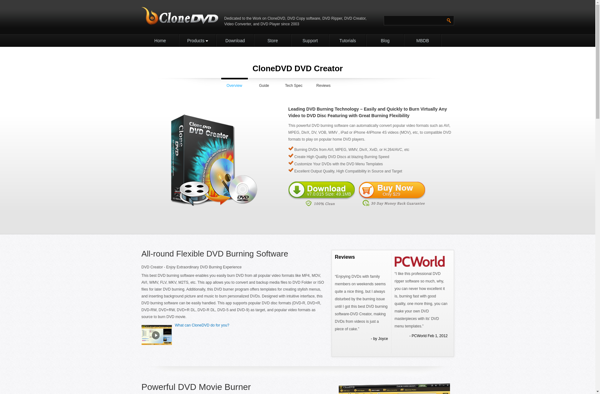
CloneDVD DVD Creator is a versatile DVD burning and copying software that enables users to easily create 1:1 copies of DVDs, including encrypted commercial DVD movies. With its user-friendly interface, you can copy or burn DVDs in just a few clicks.Some of the key features of CloneDVD DVD Creator include:Ability...

EasyBurner
EasyBurner is a free burning software for Windows that allows you to create CDs, DVDs, and Blu-ray discs. With its simple and intuitive interface, EasyBurner makes burning data, music, videos, ISO images, and other files to disc fast and easy.Some of the key features of EasyBurner include:Supports burning data discs,...


Xilisoft DVD Creator
Xilisoft DVD Creator is a feature-rich DVD burning and copying software for Windows. It provides an intuitive yet powerful interface for creating DVDs in different formats.With Xilisoft DVD Creator, you can easily convert and burn videos from formats like AVI, MPEG, MP4, and MOV to DVD discs or ISO files...


Free DVD Converter
Free DVD Converter is free video conversion software designed to convert DVDs and various video file formats into other formats. With an intuitive interface and strong format support, it aims to provide an easy way for users to convert their DVD collections and home movies for playback on modern devices.It...








