IPhotoDraw

iPhotoDraw: Graphic Design & Image Editing for macOS
iPhotoDraw is a easy-to-use graphic design and image editing software for macos. it allows users to create graphics, edit photos, and design images with various tools and effects.
What is IPhotoDraw?
iPhotoDraw is an image editing and graphic design application designed specifically for macOS. It provides users with a wide range of features to enhance, edit, and manipulate photos and images.
Some key features of iPhotoDraw include:
- Intuitive user interface optimized for macOS
- Layers and masking for advanced image editing
- Hundreds of filters, effects, overlays, and adjustments to enhance photos
- Drawing and painting tools including pens, brushes, eraser, and text
- Robust color correction tools for exposure, hue, saturation, etc.
- Perspective correction and distortion tools
- Batch editing for applying edits to multiple photos
- Templates, shapes, illustrations and graphics for graphic design
- Ability to export images for web, print and social media
With its easy-to-use interface and powerful editing capabilities, iPhotoDraw is an excellent choice for photography enthusiasts, graphic designers, social media content creators and anyone looking for a feature-rich image editing and graphic design app for their Mac.
IPhotoDraw Features
Features
- Image editing tools
- Drawing tools
- Pre-designed templates
- Photo effects
- Text tools
- Shape tools
- Brush tools
- Color adjustment
- Layers
- Filters
- Font library
Pricing
- One-time Purchase
Pros
Cons
Official Links
Reviews & Ratings
Login to ReviewThe Best IPhotoDraw Alternatives
View all iPhotoDraw alternatives with detailed comparison →
Top Photos & Graphics and Image Editing and other similar apps like IPhotoDraw
Here are some alternatives to IPhotoDraw:
Suggest an alternative ❐
GIMP

Paint.NET


Pinta


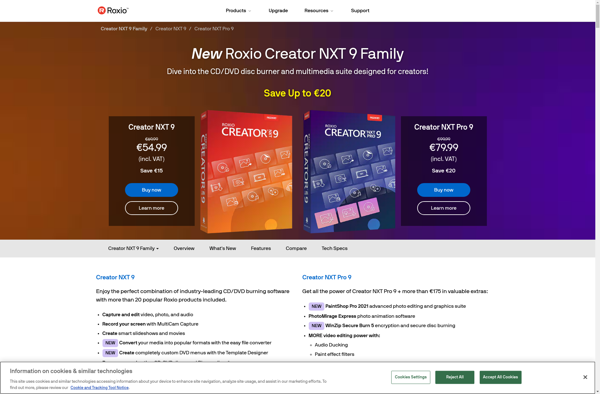
Roxio Creator

XGimp