NCrunch
NCrunch: Automated Parallelized Testing Tool
Automated parallelized testing tool for .NET developers, providing real-time feedback in Visual Studio on test status, execution times and code coverage.
What is NCrunch?
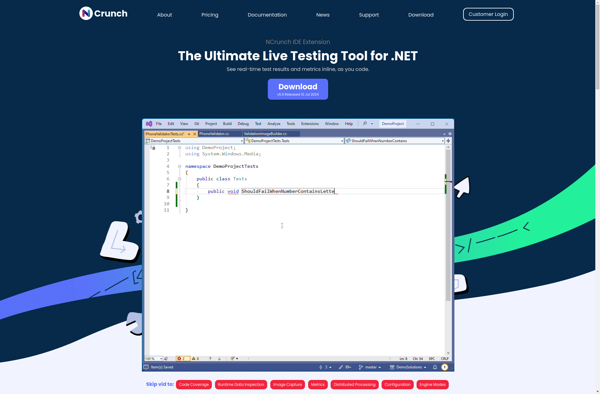
NCrunch is a Visual Studio extension that enables automated parallelized testing for .NET developers. It runs automated tests in the background and displays real-time feedback directly in the Visual Studio code editor about test status, execution times, and code coverage.
Some key features of NCrunch include:
- Background test execution - Tests run automatically in the background without needing to manually run them.
- Real-time feedback - Visual indicators in the code editor show you precisely which lines are covered by tests, which tests are passing/failing, and execution times.
- Parallel test execution - Tests are parallelized across all available cores on your machine for faster feedback.
- Automatic code coverage - NCrunch automatically calculates line, branch and part coverage and highlights any gaps in your test suite.
- Debugging support - Easily debug failing tests without having to manually reproduced failures.
NCrunch helps developers receive continuous feedback to enable high quality, well-tested code. It’s useful for teams practicing TDD/BDD to stay in the feedback loop. Many .NET shops have adopted NCrunch for improved developer productivity and code quality.
NCrunch Features
Features
- Runs tests in background and provides real-time feedback in Visual Studio
- Shows test status, execution times and code coverage in IDE
- Supports parallel test execution to reduce feedback cycle
- Integrates with Visual Studio
- Supports .NET languages like C# and VB.NET
Pricing
- Free Trial
- Subscription-Based
Pros
Cons
Official Links
Reviews & Ratings
Login to ReviewThe Best NCrunch Alternatives
View all NCrunch alternatives with detailed comparison →
Top Development and Testing and other similar apps like NCrunch
Here are some alternatives to NCrunch:
Suggest an alternative ❐
Fine Code Coverage


DotCover

OpenCover