NDepend

NDepend

NDepend is a static analysis tool for .NET that provides code metrics, architecture constraints, technical debt estimation, and dependency graphs. It helps developers write better code and build more maintainable .NET applications.
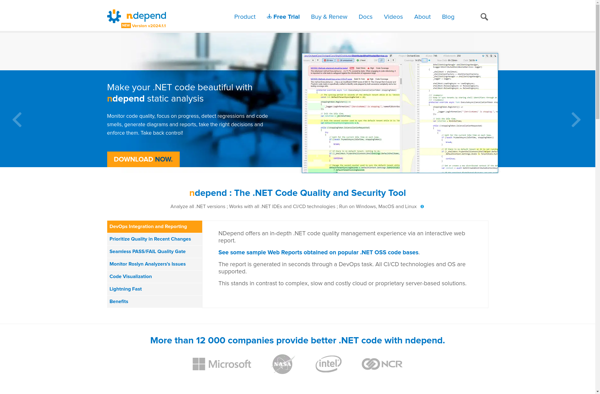
NDepend screenshot

NDepend: Static Analysis Tool for .NET

NDepend is a static analysis tool for .NET that provides code metrics, architecture constraints, technical debt estimation, and dependency graphs. It helps developers write better code and build more maintainable .NET applications.

What is NDepend?

NDepend is a popular static code analysis tool designed specifically for .NET applications. It allows developers to enforce coding standards, improve code quality, and gain valuable insights into large and complex codebases.

Some of the key features of NDepend include:

  • Code metrics - Get statistics on cyclomatic complexity, depth of inheritance, class coupling, and more to identify problem areas.
  • Architecture rules - Define constraints and validate that your code adheres to intended design rules.
  • Dependency graphs - Visualize and analyze dependencies between namespaces, types, and methods.
  • Historical analysis - Compare metrics across builds to track technical debt or decaying code quality over time.
  • Visual studio integration - Review NDepend analysis directly within Visual Studio.
  • Supports C#, VB.NET, F#, and more - Analyze managed code written in a variety of .NET languages.

By providing objective data and actionable insights, NDepend empowers developers to implement best practices, improve code quality, enforce architectural rules, and deliver better software faster.

NDepend Features

Features

  1. Code metrics
  2. Architecture constraints
  3. Technical debt estimation
  4. Dependency graphs
  5. Code rules
  6. Visual studio integration

Pricing

  • Subscription-Based

Pros

Detailed code analysis

Detect code smells and anti-patterns

Track technical debt

Enforce architecture rules

Integrates with CI/CD pipelines

Cons

Steep learning curve

Complex UI

Limited language support (.NET only)

Reviews & Ratings

Login to Review
No reviews yet

Be the first to share your experience with NDepend!

Login to Review

The Best NDepend Alternatives

Top Development and Code Analysis and other similar apps like NDepend


ReSharper icon

ReSharper

ReSharper is a popular productivity extension for Visual Studio that aims to improve the .NET development experience. It was originally developed by JetBrains and provides a wide range of code analysis, refactoring, and code generation tools for C#, VB.NET, ASP.NET, and other .NET languages.Some of ReSharper's key features include:Intelligent code...
ReSharper image
Telerik JustCode icon

Telerik JustCode

Telerik JustCode is an AI-powered productivity tool that helps .NET developers write code faster and more efficiently. It provides intelligent code completion, analysis, and refactoring suggestions as you type in Visual Studio.JustCode speeds up coding by proactively recommending code blocks, variables, methods, and parameters as you need them. Its advanced...
Telerik JustCode image
TestDriven.NET icon

TestDriven.NET

TestDriven.NET is an innovative unit testing framework for .NET that integrates tightly with Visual Studio to enable efficient test-driven development. It provides a comprehensive set of features specifically designed to enhance productivity when practicing TDD.Key features include:Rapid testing - TestDriven.NET runs tests instantly on code changes. There is no need...
TestDriven.NET image
Fxcop icon

Fxcop

Fxcop is a static code analysis tool that was originally developed by Microsoft to analyze .NET assemblies for conformance to the .NET coding guidelines and conventions. The goal of Fxcop is to help developers write cleaner, more maintainable, and more robust .NET code by detecting issues early during the development...
Fxcop image
IntelliDebugger icon

IntelliDebugger

IntelliDebugger is a versatile debugging tool designed to help developers fix bugs and understand program flow more efficiently. It provides a graphical user interface for setting breakpoints, stepping through code line-by-line, and inspecting the values of variables across the whole stack.Key features include:Integration with popular IDEs like Visual Studio, Eclipse,...