Pgcli
Pgcli is a command line interface for Postgres that adds auto-completion and syntax highlighting. It's designed to make it easier and more productive to work with Postgres from the terminal.

Pgcli: Command Line Interface for Postgres
Pgcli is a command line interface for Postgres that adds auto-completion and syntax highlighting. It's designed to make it easier and more productive to work with Postgres from the terminal.
What is Pgcli?
Pgcli is an open-source command line interface for Postgres that aims to make working with Postgres faster and more convenient. It builds on top of the standard psql utility and adds several features:
- Auto-completion of SQL keywords, functions, table names, column names, etc. As you type it will suggest completions.
- Syntax highlighting colors SQL keywords, numbers, strings, comments, etc to make SQL more readable.
- Support for multiline SQL statements.
- Configurable pager access to scroll through result sets withPgcli will intelligently paginate output if it doesn't fit the screen.
- Multi-line mode to write and execute PostgreSQL scripts.
- Save commonly used SQL queries as snippets.
- Support for connecting via host, port and using .pgpass
- The same complete compatibility with Postgres as standard psql.
In summary, Pgcli makes working with Postgres from the command line faster and more convenient. The additional features like auto-completion and syntax highlighting reduce typing and mistakes. It's designed for power users, DBAs, developers and analysts who work with Postgres daily from the terminal.
Pgcli Features
Features
- Auto-completion of SQL keywords and functions
- Syntax highlighting
- Support for Postgres databases
- Multi-line mode for writing queries spanning multiple lines
- Configurable pager for query output
- Configurable prompt with current DB info
- Save commonly used queries as snippets
- Support for external editor for query editing
Pricing
- Open Source
Pros
More productive than default psql CLI
Easy to install and use
Good for improving workflow when working with Postgres from terminal
Cons
Limited to Postgres only, not compatible with other databases
Not as feature rich as full IDEs like pgAdmin
Requires some learning curve coming from psql
Official Links
Reviews & Ratings
Login to ReviewThe Best Pgcli Alternatives
View all Pgcli alternatives with detailed comparison →
Top Development and Database Tools and other similar apps like Pgcli

HeidiSQL
HeidiSQL is a popular free and open source database management tool for Windows that allows you to manage MySQL, MariaDB, Microsoft SQL Server and PostgreSQL databases. It provides a simple and intuitive graphical user interface for database administration tasks.Some key features of HeidiSQL include:Intuitive browser-style interface for browsing database objects...

Querious
Querious is a powerful database query tool designed specifically for macOS. It supports connections to MySQL, PostgreSQL, SQLite, Microsoft SQL Server, Oracle, and many other database servers.Some key features of Querious include:Intuitive user interface for writing SQL queries and viewing resultsSupport for multiple database connections and queriesTable and schema browsingAdvanced...
Mycli
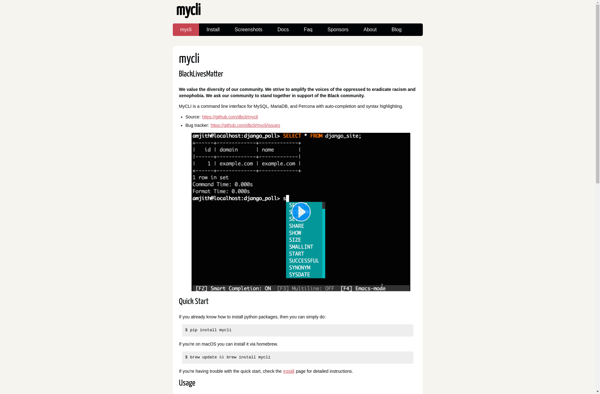
mycli is an open source command-line interface for MySQL and MariaDB databases. It is implemented in Python and provides quality-of-life improvements over the default MySQL client.Some key features of mycli include:Auto-completion of SQL keywords, table names, column names, etc. As you type, it will suggest completions to speed up entering...
Usql
usql is an open-source command line interface for PostgreSQL databases that provides an improved interactive workflow for executing SQL queries. It was created as an alternative to the default psql utility included with PostgreSQL.Some of the key features of usql include:Auto-completion of SQL keywords, table and column names as you...