phpformmailer is an open source PHP script that allows you to easily integrate a contact form and email functionality into your website. It handles form validation, spam filtering, and sending emails via PHP's mail() function.
PhpFormMailer: Open Source PHP Script for Contact Forms and Email Integration
PhpFormMailer is an open source PHP script that allows you to easily integrate a contact form and email functionality into your website, handling form validation, spam filtering, and sending emails via PHP's mail() function.
What is Phpformmailer?
phpformmailer is an open source PHP script that allows you to easily integrate a contact form and email functionality into your website. Some key features include:
Validate form data and handle errors/success messages
Spam filtering using a hidden input honeypot field
Supports attachments and file uploads
Customizable email templates using HTML and Plain Text
Easily integrate with any website by copying the PHP script
Uses PHP's mail() function to send emails directly from your server
Localizes data and displays errors in user's language
Open source and customizable to fit your needs
phpformmailer handles all the backend form processing so you don't have to write server-side code to validate entries, prevent spam, or send emails. Just install, configure settings like your email, SMTP details, and confirmation message, and copy the HTML form code into your contact page.
Phpformmailer Features
Features
Simple and easy to use contact form
Handles form validation and spam filtering
Sends emails via PHP's built-in mail() function
Customizable email templates
Supports file attachments
Logs sent emails for tracking purposes
Multilingual support
Pricing
Open Source
Pros
Open source and free to use
Lightweight and easy to integrate
No external dependencies or API keys required
Provides basic contact form functionality out of the box
Customizable to fit your specific needs
Cons
Limited advanced features compared to commercial solutions
Relies on PHP's built-in mail() function, which may have deliverability issues
Requires some PHP knowledge to customize and integrate
Lacks advanced features like email templates, analytics, and CRM integration
reCAPTCHA is a free service created by Google that helps protect websites from spam and abuse. It uses advanced risk analysis techniques to distinguish humans from bots that try to engage in abusive activities on websites.The core functionality of reCAPTCHA is the use of CAPTCHAs - challenges that are easy...
hCaptcha is an accessible captcha and bot detection service created by Intuition Machines in 2017 as an alternative to Google's reCAPTCHA. It helps website owners prevent spam and abuse from bots and malicious actors while aiming to provide a better user experience for legitimate human visitors.Unlike reCAPTCHA which relies solely...
Negative Captcha is an alternative to traditional CAPTCHAs that presents users with photos of everyday objects and asks them to identify images that do not contain a specific object, rather than solving a visual puzzle. For example, it might show images of cats, dogs, and birds and ask you to...
FeedCaptcha is a CAPTCHA (Completely Automated Public Turing test to tell Computers and Humans Apart) service designed specifically to protect RSS feeds and blog comments from spam.It works by adding a visual challenge to comment forms that requires users to identify distorted text or images before the comment is submitted....
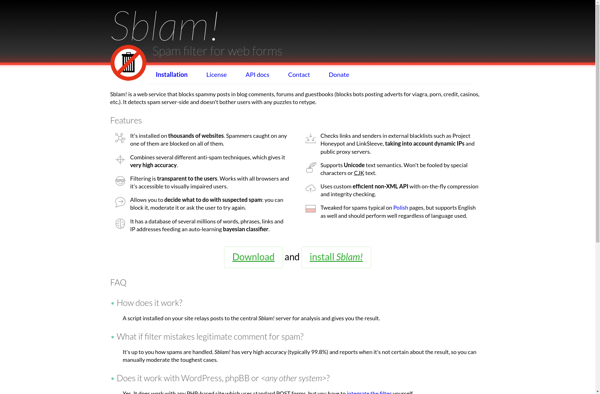
Sblam! is a feature-rich open-source office suite that is a free alternative to Microsoft Office. It includes applications for word processing, spreadsheets, presentations, databases, and more. Sblam! has an intuitive and customizable interface making it easy to use for novices and power users alike.The Sblam! word processor provides all the...
Keypic is a feature-rich yet lightweight screenshot capture and annotation tool for Windows. It makes taking, editing, organizing and sharing screenshots easy and fast.With Keypic you can:Take fullscreen, window, region, scrolling and timed screenshots using keyboard shortcuts or the menu.Draw, add text, highlights, arrows etc on your screenshots.Blur or pixelate...