
ReliefJet Quicks for Outlook
ReliefJet Quicks for Outlook
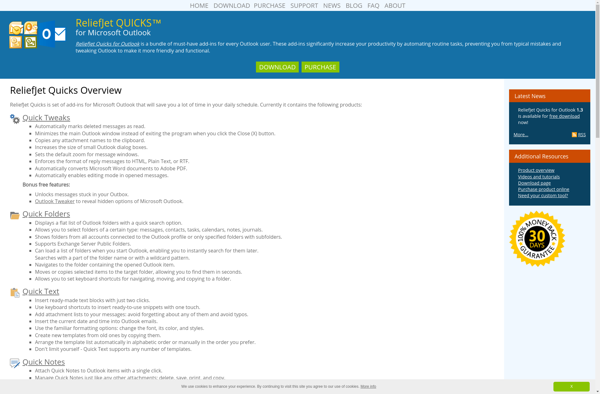
ReliefJet Quicks for Outlook is an add-in that enhances the capabilities of Microsoft Outlook. It allows you to easily manage emails, calendar events, contacts, and tasks. Key features include quick text, Quick Steps, reminders, templates, and more.
What is ReliefJet Quicks for Outlook?
ReliefJet Quicks for Outlook is an productivity add-in designed to help users get the most out of Microsoft Outlook. It enhances Outlook with various time-saving tools and automation capabilities to improve email management, calendar organization, contact access, and task tracking.
Some key features of ReliefJet Quicks for Outlook include:
- Quick Text - Create pre-defined blocks of text that can be easily inserted into emails with just a couple clicks.
- Quick Steps - Automate repetitive Outlook tasks like moving emails, creating calendar events, adding tasks, etc. with a single click.
- Reminders - Set location or time-based reminders for emails to follow up on important messages.
- Templates - Build reusable email templates to standardize communications.
- Send Later - Schedule emails to be sent at a more convenient time.
- Focus Assistance - Temporarily disable pop-up notifications to avoid distractions.
- Follow-Up Manager - Automatically track and manage email threads that require a response or follow-up action.
With its user-friendly interface and variety of productivity tools, ReliefJet Quicks helps Outlook users manage high email volumes, stay on top of calendars and tasks, automate repetitive work, and ultimately work more efficiently.
ReliefJet Quicks for Outlook Features
Features
- Quick Text to insert prewritten text snippets
- Quick Steps for automating repetitive tasks
- Reminders and notifications
- Templates for emails, appointments, contacts, etc
- Send Later option for scheduling emails
- Snooze emails to reappear later
- Email tracking and read receipts
- Contacts management tools
- Calendar management tools
- Tasks and to-do list management
Pricing
- One-time Purchase
- Subscription-Based
Pros
Cons
Official Links
Reviews & Ratings
Login to ReviewNo reviews yet
Be the first to share your experience with ReliefJet Quicks for Outlook!
Login to ReviewThe Best ReliefJet Quicks for Outlook Alternatives
View all ReliefJet Quicks for Outlook alternatives with detailed comparison →
Top Office & Productivity and Email Tools and other similar apps like ReliefJet Quicks for Outlook
No alternatives found for ReliefJet Quicks for Outlook. Why not suggest an alternative?







