Draw on my screen vs SwordSoft Screenink
A side-by-side look at Draw on my screen and SwordSoft Screenink. For an in-depth review of either product, follow the links below.

Draw on my screen
Office & Productivity
Draw on my screen is a lightweight software that allows you to annotate, draw, and add text overlays on your computer screen. It can be used to add visual context during presentations, meetings, lectures, tutorials, and more.
annotationdrawingtext-overlayscreen-markup
SwordSoft Screenink
Office & Productivity
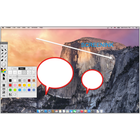
SwordSoft Screenink is screen capture and annotation software for Windows. It allows users to take screenshots, draw on them, add text boxes, blur sensitive information, and export the annotations as images or PDFs. Useful for tutorials, documentation, feedback, and more.
screenshotsannotationstutorialsdocumentation
Related Comparisons
WindowWatcher
Screen Marker and Recorder
Glassbrick
Point N See