Annotary is an open-source annotation tool that allows users to add text annotations and comments to web pages, PDFs, images, and more. It has features like collaboration, private/public annotations, groups, hierarchical comments, rich text formatting, and works on any operating
Annotary is an open-source annotation tool that allows users to add text annotations and comments to web pages, PDFs, images, and more. It has features like collaboration, private/public annotations, groups, hierarchical comments, rich text formatting, and works on any operating system.
What is Annotary?
Annotary is an open-source web and document annotation software that makes it easy for users to add text annotations, comments, notes, and highlights to web pages, PDF documents, images, and other file types. Some key features of Annotary include:
Works on any operating system or device with a modern web browser
Add text annotations and comments with rich-text formatting options like bold, italics, highlights, strikethrough, etc.
Public, private, and group-based annotations and access controls
Real-time collaboration features allow multiple users to annotate the same document simultaneously
Support importing many file formats including PDF, JPG, PNG, TIFF, Microsoft Office files, and more
Customizable interface with options to change color schemes, layouts, etc.
On-premise or cloud hosting options available
Browser add-ons make annotating web pages seamless
Annotary is free and open-source, licensed under GPL v3
Overall, Annotary is an excellent free alternative to paid tools like Adobe Acrobat for adding comments and annotations with team collaboration features built-in. Its wide range of support file formats, customization options, and compatibility with any modern web browser make it easy to use on any device.
Annotary Features
Features
Add text annotations and comments to web pages, PDFs, images
Pocket is a popular read-it-later application available as a free browser extension and mobile app for iOS and Android devices. It allows users to save articles, videos, podcasts, and other content from the web to access and view at a later time.When you come across something interesting on the web,...
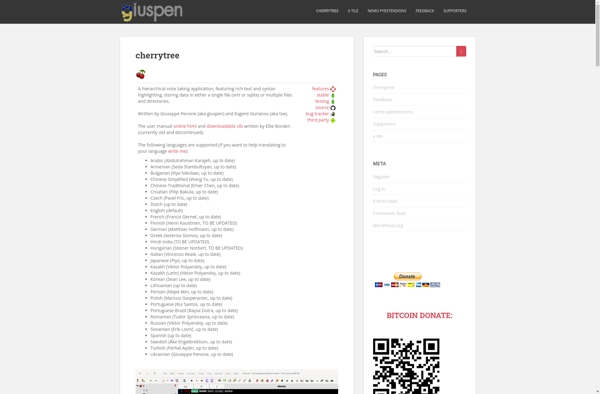
What Is CherryTree?CherryTree is a free, open-source hierarchical note-taking application for Linux and Windows. It organizes notes in a tree structure with rich text formatting, code highlighting, images, tables, and links between nodes.Key FeaturesNotes are organized in a tree hierarchy where each node can contain rich text, plain text, or...
Milanote is a cloud-based visual collaboration and project management software. It provides tools to capture ideas and organize them into visual boards that can be easily shared and worked on with a team.Some key features of Milanote include:Visual boards for brainstorming ideas, moodboards, mindmaps, workflows and moreReal-time collaboration allowing multiple...
Instapaper is a popular read-it-later application launched in 2008. It allows users to bookmark articles, blog posts, videos, and more to save and read at a later time when it may be more convenient. By clipping content to Instapaper, users can build a personal library of reading content to access...
Diigo is a powerful social bookmarking website and web annotation tool. It allows users to bookmark web pages, highlight portions of pages, and add sticky notes or annotations. These annotations can be kept private or shared with groups within Diigo for collaboration.Some key features of Diigo include:Social bookmarking - Store,...
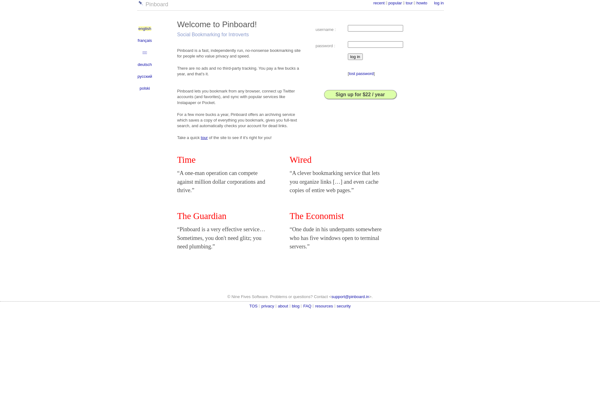
Pinboard is a social bookmarking service that launched in 2009. It helps users save, organize, and manage web page bookmarks online. Some key features of Pinboard include:Bookmark saving - Users can save URLs, descriptions, tags, extended notes, and other metadata for web pages they want to bookmark for later.Full-text search...
OneNote Online is the free web-based version of Microsoft's OneNote application. As part of the Microsoft Office suite, OneNote Online allows users to take notes, clip web pages, record audio and video, and collaborate with others in real-time from any device with an internet browser.Key features of OneNote Online include:Create...
Kipwise is a powerful knowledge management and collaboration software designed to help teams organize information and make it easily discoverable. It goes beyond traditional wikis by allowing users to create richly formatted documents, flowcharts, diagrams, and spaces to capture tribal knowledge.Some key features of Kipwise include:User-friendly wiki for creating and...
Tagpacker is a leading tag management system designed to help businesses and organizations effectively organize, manage, and utilize tags across platforms. It provides a central interface to create, edit, delete, and manage tags and taxonomies which can then be deployed across websites, apps, databases, and more.Key features of Tagpacker include:Intelligent...
Email This is a popular browser extension available for Chrome, Firefox, Safari, Opera, and Edge. It provides a simple way to share web page links, images, or selected text by email without having to manually copy and paste anything.When you find something on the web you want to email to...
PasteDeck is an easy-to-use online pastebin and code sharing tool. It allows you to quickly paste and share text, code snippets, logs, output from command line interfaces, and more. Some key features of PasteDeck include:Lightweight and fast interfaceNo signup requiredCustom and private pastes with custom URLsSyntax highlighting for codeExpiration and...