Baidu WiFi Hotspot is a free software that allows users to turn their Windows computer into a WiFi hotspot to share internet access with other devices. It works by using the computer's internet connection over WiFi or ethernet to broadcast its own WiFi network.
Turn your Windows computer into a WiFi hotspot and share internet access with other devices using Baidu WiFi Hotspot, a free software that leverages WiFi or Ethernet connections.
What is Baidu WiFi Hotspot?
Baidu WiFi Hotspot is a free software program developed by Baidu that allows Windows users to easily turn their computer into a WiFi hotspot. This allows them to share their computer's internet connection with other wireless devices such as phones, tablets, and laptops.
It works by using the existing WiFi or wired ethernet connection on a Windows PC to broadcast its own WiFi network that other devices can connect to. Once connected, those devices can access the internet through the computer's connection just as if they were connecting to a regular router.
Some key features of Baidu WiFi Hotspot include:
Ability to broadcast WiFi in hotspot mode using Hosted Networking capabilities of Windows 7 and higher.
Support for WPA2 PSK encryption to secure the hotspot with a password.
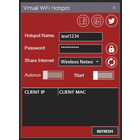
Options for configuring SSID, channel, and bandwidth allocation.
Allowing connected devices to access shared folders and printers.
Lightweight software with no need for installation or admin rights.
As it does not require installing a driver or additional software, Baidu WiFi Hotspot provides a quick and convenient way to share a WiFi connection without requiring a wireless router. It works well for sharing connections in homes, small offices, cafes, or anywhere a short-range hotspot is useful. The software is free and open source.
Baidu WiFi Hotspot Features
Features
Turn Windows computer into a WiFi hotspot
Share internet access with other devices
Use computer's internet connection over WiFi or Ethernet
Broadcast own WiFi network
Pricing
Free
Pros
Free to use
Easy to set up and use
Allows sharing internet access with multiple devices
Cons
Limited functionality compared to paid alternatives
May not be as reliable or stable as paid options
Potential security risks associated with running an open WiFi network
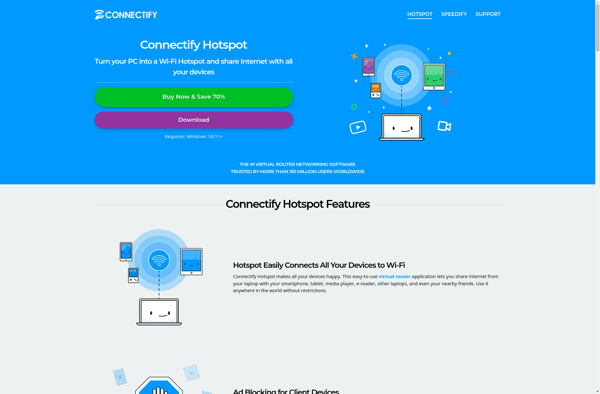
Connectify Hotspot is a versatile virtual router software for Windows that allows you to share your computer's internet connection with other devices over WiFi. It turns your Windows PC into a fully functional WiFi hotspot in just a few clicks without the need for extra hardware.Some key features of Connectify...
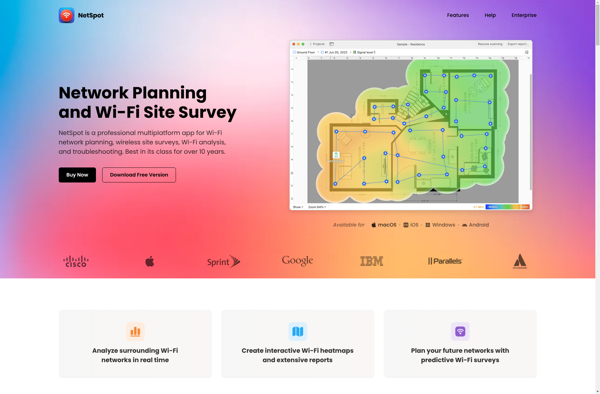
NetSpot is a Wi-Fi site survey tool used by IT professionals, network installers, and Wi-Fi consultants to analyze and troubleshoot Wi-Fi networks. It works on both Mac and Windows computers.Some key features of NetSpot include:Wi-Fi site surveys to measure signal strength, connectivity, throughput, interference, and moreHeatmaps showing coverage across floorplansAutomatic...
Winhotspot is a free and open source software application that allows Windows users to easily turn their laptop or desktop computer into a Wi-Fi hotspot. With Winhotspot, you can share your computer's internet connection with other devices through Wi-Fi, eliminating the need for cables or extra hardware.Some key features of...
AndroidWifi is a free and open source WiFi manager app for Android. It provides an intuitive interface and advanced features to help manage and troubleshoot WiFi connections on your device.Some key features of AndroidWifi include:Easily view and connect to available WiFi networks. Networks can be sorted by signal strength.Manually add...
mHotspot is a free, open source Windows application that allows you to easily share your computer's internet connection with other devices over WiFi. It turns your computer into a virtual wireless router, creating a hotspot that devices like phones, tablets, and laptops can connect to.Some key features of mHotspot include:Lightweight...
Tanaza is a cloud-based Wi-Fi management platform designed for managing wireless networks in businesses, hotels, schools, and other organizations. It provides centralized control and monitoring of multiple wireless access points, routers, switches, and gateways from a web-based dashboard.Key features of Tanaza include:Centralized management of Wi-Fi networks, SSIDs, user access controlsReal-time...
Virtual Router Plus is a free, open source software package that allows users to turn any Windows PC (Windows 7, 8, 10 and 11) into a full-featured router for home and small office networks. Developed by Connectify, it provides a wide range of routing functionality and management features.Key features of...
Virtual Wifi Router Version 2 is a free, open-source software application developed by Yogi Kumar that allows you to convert your Windows laptop or desktop computer into a WiFi hotspot or repeater. It works by utilizing the hosted network feature on supported Windows versions to broadcast a wifi signal using...
Linux Wifi Hotspot is an open source software that allows you to easily turn your Linux laptop or desktop computer into a WiFi hotspot to share internet access with other devices. It works by using the computer's wireless card to broadcast a WiFi network, while handling connections, DHCP, DNS etc....
Maryfi is an open-source network analyzer and Wi-Fi troubleshooting software for Linux, Windows, and macOS. It provides a comprehensive set of tools for monitoring, analyzing, and troubleshooting wireless and wired networks.With an intuitive graphical interface, Maryfi allows users to easily scan networks, capture packets in real-time, analyze traffic by protocols,...
Virtual WiFi Hotspot is software that enables users to utilize their laptop's wireless internet connection as a WiFi hotspot to share with other devices. It transforms a laptop into a wireless access point, allowing smartphones, tablets, and other gadgets to connect to the internet through the laptop's WiFi.Some key features...
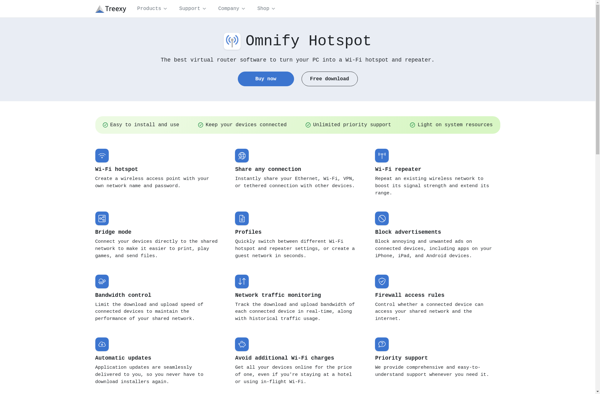
Omnify Hotspot is a software solution designed to enable businesses, hotels, cafes, and other establishments to provide managed Wi-Fi hotspot access to customers and guests. Some key features include:Ability to fully brand and customize the captive portal that users see when accessing the hotspotOptions for secure encryption, VLAN configuration, and...