Enable Viacam
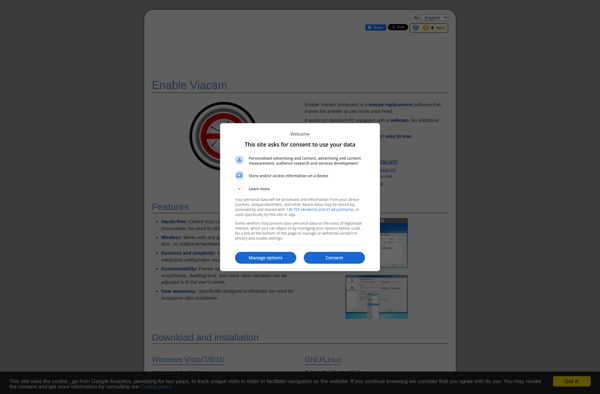
Enable Viacam: Webcam-Based Assistive Technology
Enable Viacam allows people with disabilities to control their computer's mouse and keyboard using head movements and facial gestures, requiring no special hardware beyond a standard webcam.
What is Enable Viacam?
Enable Viacam is an assistive technology software that enables people with disabilities to control their computer using a standard webcam to track head movements and facial gestures. It allows the user to move the mouse pointer and simulate mouse clicks by moving their head or making facial expressions.
Some of the key features of Enable Viacam include:
- Moving mouse cursor using head tracking
- Performing left, right and double click actions using facial gestures like smiling, opening mouth etc.
- On-screen keyboard controlled through head movements
- Dwell click for spontaneous click when cursor stops
- Head tracking is smooth and allows precision
- Multiple customization options for sensitivity and actions
Enable Viacam is designed to provide an accessible computing experience for those with limited mobility due to conditions like cerebral palsy, ALS, spinal cord injuries or amputations. It works with any standard USB webcam and does not require special cameras. This makes it affordable assistive technology for controlling computer access.
The software uses computer vision algorithms to process webcam feed and translate head movements into precise mouse actions. With sufficient customizations, it can adapt to a wide range of user conditions and capabilities. The interface is designed to be simple and user-friendly.
Overall, Enable Viacam is an innovative assistive software that gives independence of computer access to people with disabilities. It has benefitted numerous users across the world through an affordable and customizable solution.
Enable Viacam Features
Features
- Head tracking allows mouse control through head movements
- Facial gesture recognition enables clicking, dragging, typing and more
- Customizable sensitivity levels for optimal responsiveness
- On-screen keyboard with word prediction and text-to-speech
- Supports zooming, scanning and dwelling for improved accessibility
- Multiple user profiles to save settings
- Game mode for entertainment and cognitive exercises
- Available in multiple languages
Pricing
- Free
- Freemium
Pros
Cons
Official Links
Reviews & Ratings
Login to ReviewThe Best Enable Viacam Alternatives
View all Enable Viacam alternatives with detailed comparison →
Top Ai Tools & Services and Assistive Technology and other similar apps like Enable Viacam
Here are some alternatives to Enable Viacam:
Suggest an alternative ❐
CamSpace

GiMeSpace Cam Control


Camera mouse


EagleEyes


OpenGazer