Griddition
Griddition: Grid-Based Graphic Design for Windows
A powerful graphic design application with an intuitive interface, providing flexible grid systems, shape tools, color palettes, and typography controls for creating layouts, illustrations, icons, logos and more.
What is Griddition?
Griddition is a user-friendly graphic design and layout application for Windows. Developed specifically for grid-based design, it provides an intuitive interface and robust set of tools to create designs such as icons, logos, posters, graphics for websites, mobile apps and more.
At the core of Griddition is a flexible grid system that allows for precise alignment and arrangements of shapes, images and text. Designers can easily set up column and row layouts, adjust gutters and margins, and snap elements to the grid. This streamlines layout creation and ensures consistent spacing.
In addition to layout features, Griddition includes extensive tools for working with vector shapes. It comes equipped with a range of basic and special shapes that can be customized via fill, outline, blur and gradient options. Shapes can also be morphed, combined, distributed and aligned for more advanced creations.
Typography controls allow you to format text boxes with custom fonts, sizes, colors and styles. Fine-tuned adjustments like letter and line spacing, text wrapping and paragraph formatting help perfect typographic details.
An asset manager provides quick access to colors, gradients, custom grids and text styles that have been saved as swatches. This standardizes options across designs and projects for improved efficiency and brand consistency.
Other handy features include snap-to guides to align objects precisely, non-destructive shape effects like shadows and glows, and isolation mode to hide objects as you work. The user interface includes floating toolbars that can be customized and moved around the workspace.
In all, Griddition aims to provide an optimal design program for layout-focused graphic projects. With its specialized grid editing tools, extensive visual effects and intuitive interface, it makes grid-based design efficient and accessible for all levels of Windows users.
Griddition Features
Features
- Grid-based interface
- Shape tools
- Color palettes
- Typography controls
- Flexible grid system
- Tools for illustrations, icons, logos
- Intuitive interface
Pricing
- One-time Purchase
Pros
Cons
Official Links
Reviews & Ratings
Login to ReviewThe Best Griddition Alternatives
View all Griddition alternatives with detailed comparison →
Top Design and Graphic Design and other similar apps like Griddition
Here are some alternatives to Griddition:
Suggest an alternative ❐
Sudoku

Planet Sudoku
Simple MathDoku
Less Than 8
Sudoku.Vip
NumberDrop

2x2 - Train your brain
Sum Fun
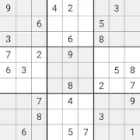
Sudoku by Pink Pointer
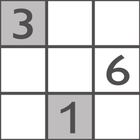
Sudoku by genina.com
Coppo Cube - Logic Game Sudoku 3D