MasterpieceVR

MasterpieceVR

MasterpieceVR is a virtual reality art creation and sharing application. It allows users to sculpt, paint, and draw in 3D space using motion controllers. Users can share and explore artwork created in MasterpieceVR with others around the world.
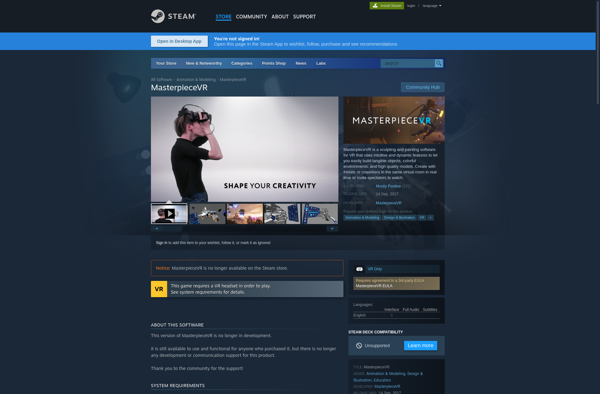
MasterpieceVR screenshot

MasterpieceVR: Virtual Reality Art Creation

Create, sculpt, paint, and draw 3D art in virtual reality with motion controllers, share artwork globally

What is MasterpieceVR?

MasterpieceVR is a unique virtual reality application focused on artistic creation and sharing. It provides an immersive environment for sculpting, painting, and drawing without the physical limitations imposed in the real world.

Using motion controllers, users can easily sculpt digital clay into intricate 3D models. The application features a wide selection of sculpting tools to push, pull, smooth, and detail creations. Tablet mode allows sculpting on a 2D plane for fine detailing.

The painting tools allow users to paint directly onto their sculptures or blank 3D canvases. Brushes feature dynamic paint simulation for blending and mixing colors. There is also symmetry painting and reference images to aid creation.

There is a community aspect to MasterpieceVR as well. Users can share their artwork on the in-app gallery for others around the world to view in virtual reality. The spaces are brought to life with sculptures, paintings, audio reactive visuals, and more.

MasterpieceVR brings the artistic process into an immersive new medium. Without real-world restraints, it allows imagination and creativity to shape the virtual environment.

MasterpieceVR Features

Features

  1. 3D sculpting tools
  2. 3D painting tools
  3. 3D drawing tools
  4. Multiplayer art spaces
  5. Artwork sharing and browsing
  6. VR motion controller support

Pricing

  • One-time Purchase

Pros

Intuitive VR interface

Powerful creation tools

Social features allow collaborating and sharing

Engaging way to make 3D art

Cons

Requires VR headset

Steep learning curve

Limited 2D creation tools

Small user community

Reviews & Ratings

Login to Review
No reviews yet

Be the first to share your experience with MasterpieceVR!

Login to Review

The Best MasterpieceVR Alternatives

Top Art & Design and 3D Modeling & Sculpting and other similar apps like MasterpieceVR


A-Painter icon

A-Painter

A-Painter is a virtual reality painting application designed specifically for the Oculus Rift and HTC Vive headsets. It provides artists with a 3D space to create paintings and other works of art using VR technology.Some key features of A-Painter include:Intuitive painting tools like brushes, pencils, and airbrushes that can be...
A-Painter image
Tilt Brush icon

Tilt Brush

Tilt Brush is a groundbreaking virtual reality app that allows users to paint and create 3D artwork by using the HTC Vive or Oculus Rift headset and controllers. Developed by Google, Tilt Brush takes advantage of room-scale VR to let users walk around their creations as they would sculptures in...
Tilt Brush image
Quill by Story Studio icon

Quill by Story Studio

Quill by Story Studio is an advanced writing assistant powered by artificial intelligence. It is designed specifically for fiction writers, content creators, and other storytellers to help improve their work.Some key features of Quill include:Grammar and spelling correction - Quill will identify and suggest fixes for grammar, punctuation, and spelling...
Quill by Story Studio image
Oculus Medium icon

Oculus Medium

Oculus Medium is a virtual reality sculpting and painting application designed specifically for the Oculus VR headset. It provides users with an intuitive and naturalistic sculpting and painting experience in a 3D space using Oculus Touch controllers.Some key features of Oculus Medium include:Symmetry modeling - Easily sculpt symmetrical formsStamping -...
Oculus Medium image
Kodon icon

Kodon

Kodon is an open-source 3D computer graphics application for digital artists and animators. It provides tools for the entire 3D pipeline including modeling, rigging, animation, simulation, rendering, compositing and motion tracking.Some key features of Kodon include:Intuitive interface and workflow to improve productivityPowerful polygon, NURBS and subdivision surface modeling toolsAdvanced rigging...
Kodon image