
--shots
--shots is a screenshot tool that allows you to easily capture, annotate, and share screenshots. It has built-in annotation tools, supports scrolling screenshots, and allows uploading screenshots to various cloud storage services.
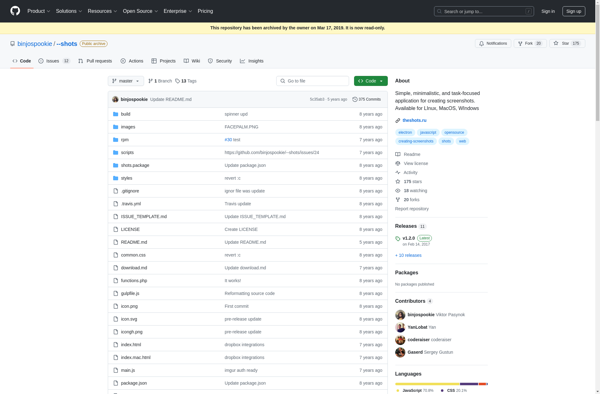
--shots: Capture & Share Screenshots
A screenshot tool with built-in annotation, support for scrolling screenshots, and cloud storage integration.
What is --shots?
--shots is a free and open source screenshot tool for Linux. It aims to make capturing, annotating, and sharing screenshots easy and fast.
Some of the key features of --shots include:
- Intuitive user interface - The tool is designed to be very user-friendly with an easy to navigate UI.
- Annotation tools - Annotate your screenshots by adding text boxes, arrows, shapes and more before uploading or sharing them. This makes your screenshots more informative.
- Scrolling screenshot support - Capture long webpages or chat logs by taking scrolling screenshots that stitch content together.
- Cloud uploads - Directly upload your captured screenshots to cloud storage services like Imgur, Flickr or your own Nextcloud instance after editing them.
- Customizable naming - Configure automatic naming and destination folder for saved screenshots.
- Sharing options - Quickly copy screenshot image to clipboard or markdown/HTML embed code to share with others.
- Screen recording support - Along with screenshots, --shots also allows screen casting into animated GIF images.
- Lightweight and fast - Uses very minimal system resources so your computer performance is not affected.
Overall, if you take a lot of screenshots for work, tutorials or guides then --shots aims to improve and simplify that process for you with its intuitive tools.
--shots Features
Features
- Capture screenshots with a single click
- Annotate screenshots with text, shapes, and highlights
- Capture scrolling screenshots
- Upload screenshots to cloud storage services
- Share screenshots via email, messaging apps, or social media
Pricing
- Free
- Freemium
Pros
Easy to use interface
Powerful annotation tools
Ability to capture scrolling screenshots
Integration with cloud storage services
Cons
Limited customization options
Occasional performance issues on older devices
Lack of advanced features compared to some other screenshot tools
Official Links
Reviews & Ratings
Login to ReviewThe Best --shots Alternatives
View all --shots alternatives with detailed comparison →
Top Productivity and Screen Capture and other similar apps like --shots
No alternatives found for --shots. Why not suggest an alternative?







