Apktool

Apktool

Apktool is an open-source tool for reverse engineering Android application packages. It allows viewing and modifying an APK's source code, resources, manifest file, assets, and other components. Apktool makes it easy to decode and rebuild apps to better understand or modify
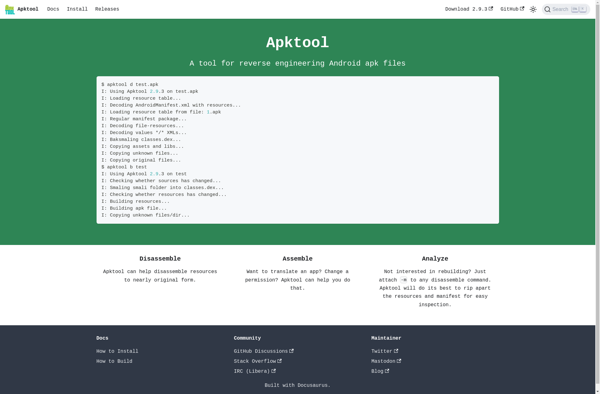
Apktool screenshot

Apktool: Reverse Engineer Android Apps

An open-source tool for decoding and rebuilding Android applications, allowing users to view and modify APKs' source code and resources.

What is Apktool?

Apktool is an open-source tool for reverse engineering Android apps that allows users to decode and modify APK package files. It provides capabilities to view and edit an app's source code, resources like images and layouts, manifest file, assets, and other components that make up an Android app.

Some key features and uses of Apktool include:

  • Decoding and rebuilding apps to understand or change their functionality
  • Hacking and modding games
  • Localizing apps by translating text resources
  • Theming apps by changing images, styles, icons, etc.
  • Removing bloatware or ads from app packages
  • Analyzing apps for security flaws or malware

Apktool relies on smali/baksmali to disassemble/reassemble the dex bytecode contained within APK files. It makes use of frameworks like apkbuilder and apksigner to handle packaging and signing operations.

While powerful, Apktool does have limitations. It cannot decompile native code within apps and does not guarantee full round-trip engineering without errors or issues. Complex apps may not rebuild properly. Overall though, Apktool is one of the most popular and actively maintained reverse engineering tools for Android apps.

Apktool Features

Features

  1. Decompiles Android APK files
  2. Modifies APK files by editing code and resources
  3. Rebuilds and signs modified APK files
  4. Supports multiple Android platforms and ABIs

Pricing

  • Open Source

Pros

Open source and free

Easy to use with simple commands

Large user and developer community

Allows in-depth analysis and modification of apps

Cons

Limited documentation

Steep learning curve for advanced usage

Modifying apps can break functionality

Does not guarantee rebuilt APKs will install properly

Reviews & Ratings

Login to Review
No reviews yet

Be the first to share your experience with Apktool!

Login to Review

The Best Apktool Alternatives

Top Development and Reverse Engineering and other similar apps like Apktool


APK Editor Studio icon

APK Editor Studio

APK Editor Studio is a powerful yet easy to use APK editor and decompiler for Android apps. It enables you to easily modify APKs by editing code and resources, debugging smali code, changing manifest details, managing resources like images and layouts, translating apps to different languages, and rebuilding & signing...
APK Editor Studio image
APK Easy Tool icon

APK Easy Tool

APK Easy Tool is an all-in-one Android app management utility that provides users complete control over the APK files on their device. It allows installing, uninstalling, backing up, and extracting Android apps with just a few taps.Some of the key features of APK Easy Tool include:Installing APK files - It...
APK Easy Tool image
Jasi Toolkit icon

Jasi Toolkit

Jasi Toolkit is an open-source computer vision library designed to make computer vision more accessible to developers and data scientists. It provides pre-trained models, workflows, and tools to help build image processing and computer vision applications without requiring deep expertise in computer vision.Some key capabilities and features of Jasi Toolkit...
Jasi Toolkit image
APK Studio icon

APK Studio

APK Studio is an integrated development environment (IDE) designed specifically for working with Android application packages (APKs). It provides a suite of tools for reverse engineering, analyzing, modifying, and rebuilding Android apps.Some of the key features of APK Studio include:APK decompilation - It can unpack and decompile APK files into...
APK Studio image