Assist.app
Assist.app is a tool that allows users to automate repetitive tasks on Mac computers. It includes features like text expansion, automating workflows, launching applications or files with shortcuts, clipboard history, and more.

Assist.app: Automate Repetitive Tasks on Mac
Discover how Assist.app simplifies your workflow with text expansion, automated workflows, app launches, clipboard history, and more - get started today!
What is Assist.app?
Assist.app is a automation and productivity app for Mac that helps users streamline repetitive tasks and workflows. It includes the following key features:
- Text Expansion - Create text shortcuts that expand into longer phrases or blocks of text as you type.
- Workflow Automation - Build workflows with actions like opening apps, controlling your Mac, manipulating text, and more. Chain actions together to automate complex tasks.
- Application Launcher - Launch apps, files, folders or websites with a global keyboard shortcut.
- Clipboard History - Access your clipboard history to quickly paste items you've previously copied.
- Snippets - Save commonly used bits of text as snippets for quick access later.
- Windows Management - Resize, move, minimize, hide or cycle between app windows quicker.
- It also includes additional tools like a color picker, timer, calendars, character counter and more.
Assist.app aims to save Mac users time by streamlining frequent tasks. It gives you a toolbox to automate manual, repetitive things you do on your computer daily. The app includes over 160 built-in actions you can incorporate into workflows.
Assist.app Features
Features
- Text expansion
- Automating workflows
- Launching apps/files with shortcuts
- Clipboard history
Pricing
- Subscription-Based
Pros
Saves time on repetitive tasks
Very customizable
Easy to use interface
Cons
Only available for Mac
Requires monthly subscription
Limited integrations with 3rd party apps
Official Links
Reviews & Ratings
Login to ReviewThe Best Assist.app Alternatives
View all Assist.app alternatives with detailed comparison →
Top Os & Utilities and Automation and other similar apps like Assist.app
Here are some alternatives to Assist.app:
Suggest an alternative ❐
Ngrok
ngrok is a cross-platform tunneling application that enables developers to expose a locally running web service to the Internet for testing, sharing, and demonstrating their work. It establishes secure tunnels from a public URL to a web server running on your local machine, allowing external users to access your local...


Zrok
Zrok is an open-source, self-hosted video conferencing solution developed as an alternative to proprietary software like Zoom or WebEx. It allows organizations and individuals to set up their own private video conferencing server with features like:Encrypted video calls in both peer-to-peer and meeting room formatsScreen sharing for presentations and document...


LocaltoNet.com
LocaltoNet.com is remote access software that gives you secure access to your home or office computer from anywhere with an internet connection. It works by installing a small client application on the computer you want to access, which then communicates through an encrypted connection with the LocaltoNet.com servers whenever you...
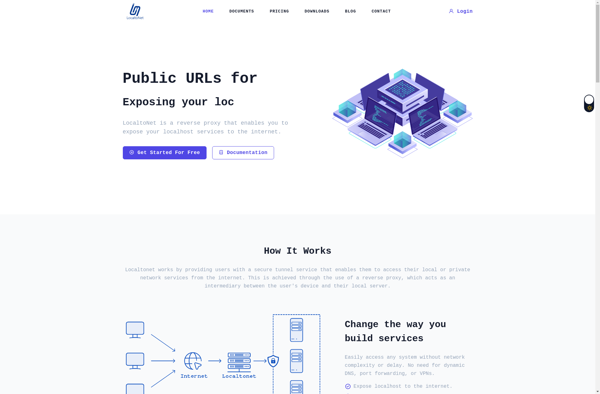

WebTTY
WebTTY is a web-based terminal emulator and console that runs in the browser. It provides users with access to command lines and text user interfaces without needing to install additional software or terminal emulators locally.Some key features of WebTTY include:Runs fully in the browser using JavaScript, HTML5 and WebSocket technologiesSupports...
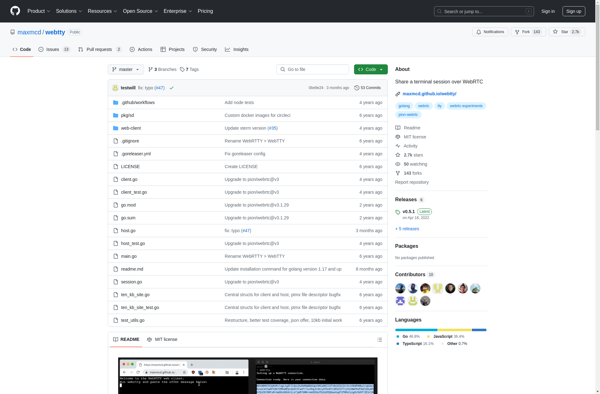

Gotty
Gotty is an open source application developed in Go that turns command line tools into web-based services. It provides a web-based terminal interface that allows users to access terminal applications like ssh, tmux, vim, etc. through a web browser instead of the command line.Some key features of Gotty include:Lightweight and...

Teleconsole
Teleconsole is a feature-rich remote access and remote support software designed for IT professionals, managed service providers, and support teams. It allows secure and easy remote access to computers and servers to provide remote support, management, and troubleshooting.Key features of Teleconsole include:Remote Control - Remotely take control of computers and...