CCTray
CCTray: Cross-Platform Build Monitor and Notification Tool
Open-source CCTray monitors builds from various CI servers, displaying build status and notifications in the system tray
What is CCTray?
CCTray is an open-source build monitor and notification tool that runs on Windows, Linux, and macOS. It can connect to various continuous integration (CI) servers and display build status right in the system tray.
Some of the supported CI servers include:
- CruiseControl
- TeamCity
- TFS
- Jenkins
- Bamboo
- Travis CI
- Visual Studio Team Services
When connected to one or more CI servers, CCTray will show icons in the system tray indicating the status of the latest builds. The icons differentiate between success, failure, warnings, and unknown status. CCTray can also be configured to show desktop notifications when build statuses change.
Key features of CCTray include:
- Portable standalone executable, no installation needed
- Connects to many popular CI platforms
- Build status shown in system tray
- Customizable notifications for build events
- Supports proxies
- Open source software written in .NET
CCTray provides a simple way to stay up-to-date with builds across multiple CI servers without having to keep multiple tabs open. It's a lightweight companion tool for teams using continuous integration and deployment.
CCTray Features
Features
- Monitors builds and build status from CI servers
- Supports various CI servers like CruiseControl, TeamCity, TFS, Jenkins etc
- Shows build status and notifications in system tray
- Cross-platform - works on Windows, Linux, MacOS
- Open source and free
Pricing
- Open Source
- Free
Pros
Cons
Reviews & Ratings
Login to ReviewThe Best CCTray Alternatives
View all CCTray alternatives with detailed comparison →
Top Development and Continuous Integration & Delivery and other similar apps like CCTray
Here are some alternatives to CCTray:
Suggest an alternative ❐
AnyStatus

CatLight


Tempomat

CCMenu


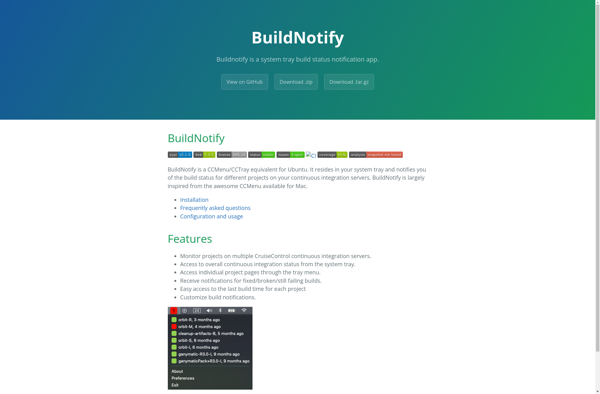
BuildNotify

AnyStatus extension for Visual Studio