Chromecast.link
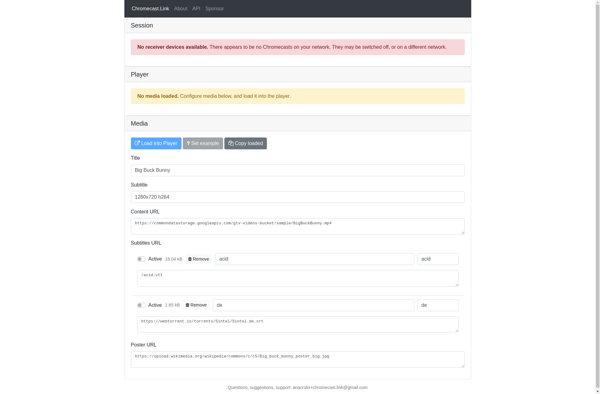
Chromecast.link: Cast Web Content to Chromecast
A free web app that casts videos, music, and photos to a Chromecast device with a simple URL share
What is Chromecast.link?
Chromecast.link is a handy web app that makes it easy to cast web content from your phone, tablet, or laptop to a TV or speaker connected to a Chromecast device. It provides a simple way to share videos, music, photos, and more without needing to install any extra apps.
To use Chromecast.link, you just need to visit their website on your phone, tablet, or computer. You can paste in a link to a web page, video, photo, music stream, or other content. Chromecast.link will generate a special URL that you can then open to start casting that content to your Chromecast.
Some key features of Chromecast.link include:
- Cast web videos from sites like YouTube, Vimeo, Twitch etc.
- Cast online music and radio stations
- View photos and slideshows on your TV
- Cast browser tabs and web pages
- Simple and intuitive interface
- Free to use with no ads
Chromecast.link is great for quickly sharing web content to a Chromecast without needing to install specialist sender apps on each device you want to cast from. It's handy for using in offices, schools, hotels, and homes to enable easy Chromecast streaming.
Chromecast.link Features
Features
- Cast web content like videos, music and photos to Chromecast device
- Works by providing a URL to open on your phone or computer
- Supports casting from iOS, Android, Mac, Windows and Chromebooks
- No need to install any apps or programs
- Simple and easy to use web interface
Pricing
- Free
Pros
Cons
Official Links
Reviews & Ratings
Login to ReviewThe Best Chromecast.link Alternatives
View all chromecast.link alternatives with detailed comparison →
Top Online Services and Media Streaming and other similar apps like Chromecast.link
Here are some alternatives to Chromecast.link:
Suggest an alternative ❐
BubbleUPnP for DLNA/Chromecast

AllCast

MediaHouse

Chromecast Audio Stream