
CSS & JS minifier
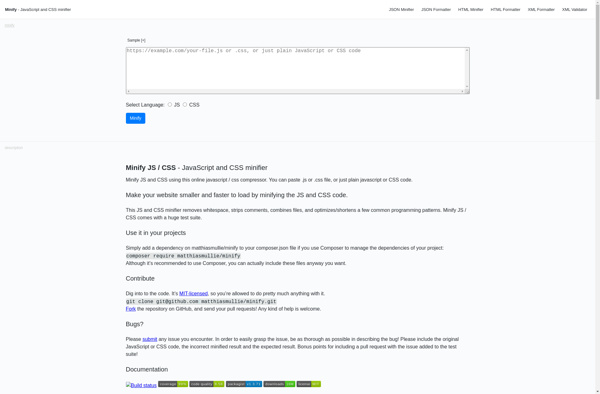
CSS & JavaScript Minifier: Automate File Size Reduction
A CSS & JavaScript minifier is a tool that removes unnecessary characters and whitespace from CSS and JavaScript files to reduce file size without altering functionality.
What is CSS & JS minifier?
A CSS & JavaScript minifier is an application that removes unnecessary whitespace, comments and characters from CSS and JavaScript files without changing how the code works. This process is known as minification. The main benefit of minifying CSS and JS files is reduced file size, resulting in faster page load times.
Minified code is harder for humans to read but works the same way when processed by web browsers and other JavaScript engines. By removing whitespace, shortening variable and function names, and stripping out comments, a CSS & JS minifier can reduce file size by up to 80% in some cases.
There are many free and paid minification tools available. Most build processes, like those involving Webpack or Gulp, will run some kind of minification automatically. There are also online minifiers that let you paste in CSS or JS code and download a minified version. An example workflow would be to develop and debug code in readable form, then run it through a minifier when ready to deploy to production.
When choosing a minification tool, developers should check that it correctly handles CSS features like media queries and JS features like async functions. The most advanced minifiers offer configuration options to control the level of compression. Overall, CSS & JS minification is a best practice for improving site performance through faster page loads and reduced bandwidth usage.
CSS & JS minifier Features
Features
- Minifies CSS and JavaScript code
- Removes comments, whitespace and unused code
- Reduces file size and improves page load speed
- Preserves CSS formatting for easier debugging
- Works with HTML, CSS, JavaScript and JSON files
- Command line interface and GUI versions available
- Integrates with build tools like Grunt and Gulp
- Supports minifying multiple files and directories
- Retains source maps for debugging minified code
Pricing
- Free
- Freemium
- Open Source
Pros
Cons
Official Links
Reviews & Ratings
Login to ReviewThe Best CSS & JS minifier Alternatives
View all CSS & JS minifier alternatives with detailed comparison →
Top Development and Code Optimization and other similar apps like CSS & JS minifier
No alternatives found for CSS & JS minifier. Why not suggest an alternative?







