
Microsoft Silverlight
Microsoft Silverlight: Browser Plugin and Runtime Environment
Microsoft Silverlight is a browser plugin and runtime environment that allows developers to create and deliver rich interactive applications and media experiences on the web. It provides capabilities for graphics, animations, audio and video playback, and more.
What is Microsoft Silverlight?
Microsoft Silverlight is a deprecated application framework and browser plugin that provides functionalities for building and delivering rich web applications that incorporate multimedia, graphics, animations, and interactivity. It was initially released in 2007.
Silverlight offers capabilities such as:
- Vector-based graphics and animations
- Video playback and streaming
- Audio playback and streaming
- UI controls and components for building rich interfaces
- Support for .NET languages and debugging
- Integration with Microsoft Visual Studio for development
- Cross-platform capabilities across browsers and devices
It runs on a wide variety of web browsers on both Windows and Mac operating systems. Out-of-browser trusted applications could also be developed with elevated permissions to access local file system and system resources.
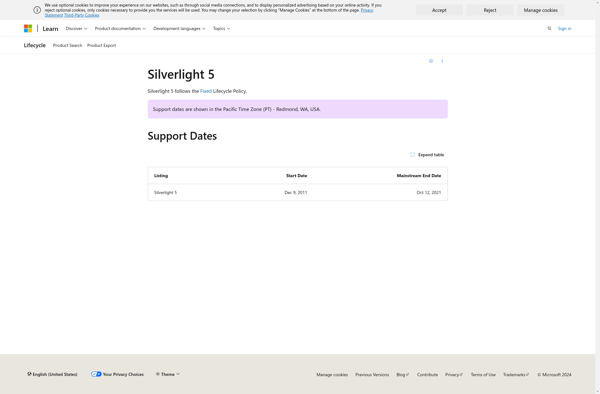
Microsoft ended standard support for Silverlight 5 in 2021. It is now considered a deprecated technology after being succeeded by HTML5 and other modern web standards. However, some enterprise applications may still rely on Silverlight for legacy reasons.
Microsoft Silverlight Features
Features
- Rich interactive web applications
- Advanced graphics and animations
- Media experiences with video and audio playback
- Runs across browsers and platforms
- Integrates with .NET framework and languages like C# and VB.NET
- Out-of-browser trusted applications
Pricing
- Free
- Open Source
Pros
Cons
Reviews & Ratings
Login to ReviewThe Best Microsoft Silverlight Alternatives
View all Microsoft Silverlight alternatives with detailed comparison →
Top Development and Web Development and other similar apps like Microsoft Silverlight
No alternatives found for Microsoft Silverlight. Why not suggest an alternative?







