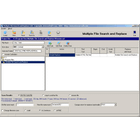
Multiple file search & replace
Search & Replace Multiple Files
Multiple file search & replace software allows you to find and change text in multiple files at once. It supports bulk changes for code, documents, web pages and more.
What is Multiple file search & replace?
Multiple file search and replace software provides the ability to find and replace text across multiple files simultaneously. This can save immense time compared to manually editing each file one by one.
Some key features of this type of software include:
- Searching through batches of files in a specified folder or entire directory structures
- Support for both simple text search and powerful regular expressions
- Options for case sensitive or insensitive searches
- Ability to filter file types to target specific subsets of files
- Preview changes before committing them
- Undo capability to revert unwanted replacements
- Regex testing to verify expressions before running
- Searching file contents as well as names
Typical users include developers, writers, webmasters, and anyone else who works with large collections of documents or code. The automation frees them from repetitive manual edits. Some popular tools in this category include Search Monkey, Zed, Agent Ransack, PowerGrep, and more.
Multiple file search & replace Features
Features
- Search and replace text across multiple files simultaneously
- Support for various file types (e.g., text, code, documents, web pages)
- Ability to perform regular expression searches
- Preview changes before applying them
- Option to backup files before making changes
- Batch processing and automation capabilities
- Filtering and sorting of search results
Pricing
- Free
- Freemium
- One-time Purchase
- Subscription-Based
Pros
Cons
Official Links
Reviews & Ratings
Login to ReviewNo reviews yet
Be the first to share your experience with Multiple file search & replace!
Login to ReviewThe Best Multiple file search & replace Alternatives
View all Multiple file search & replace alternatives with detailed comparison →
Top Development and Code Editing and other similar apps like Multiple file search & replace
No alternatives found for Multiple file search & replace. Why not suggest an alternative?







