Phone VR refers to virtual reality experiences powered by a smartphone. The phone is mounted in a headset, which has lenses to focus the view. It uses the phone screen and motion sensors to create an immersive VR environment.
Phone VR: Virtual Reality Experiences Powered by Smartphones
Phone VR refers to virtual reality experiences powered by a smartphone. The phone is mounted in a headset, which has lenses to focus the view. It uses the phone screen and motion sensors to create an immersive VR environment.
What is Phone VR?
Phone VR utilizes a smartphone to deliver virtual reality experiences. Rather than requiring an expensive, dedicated VR headset connected to a computer or console, phone VR relies entirely on components built into modern smartphones.
A phone VR headset is essentially a mount for the phone with lenses that focus and split the screen image for each eye to create a stereoscopic 3D view. The lenses convert the smartphone screen very close to the user's eyes to provide an immersive experience that fills most of their field of view.
In addition to displaying imagery, the smartphone's accelerometer and gyroscope motion sensors are able to track the movement and orientation of the user's head in 360 degrees. As the user looks around, the phone is able to render views representing where they are looking within the virtual environment.
While lacking some capabilities of high-end VR, phone VR provides a convenient and affordable way to enjoy basic VR gaming and 360 video. Continued smartphone advances combined with VR optimizations provide ever-improving quality and capabilities.
Phone VR Features
Features
Head tracking
3D audio
Controller support
Roomscale VR
Pricing
Freemium
One-time Purchase
Free
Pros
Immersive VR experience using just a smartphone
Inexpensive way to try VR
Some apps/games optimized for mobile VR
Cons
Lower quality graphics compared to PC VR
Limited processing power of phones restricts experiences
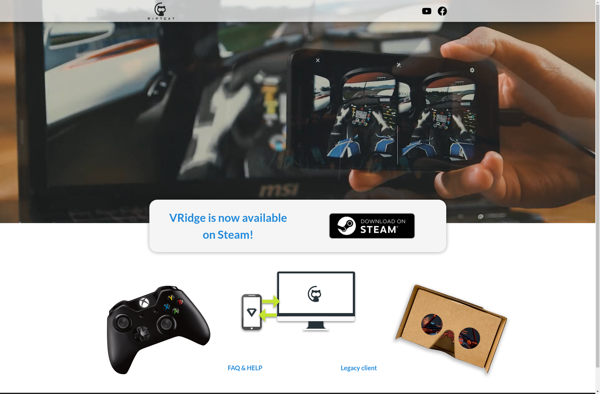
VRidge is a software solution that enables VR functionality on devices that don't have dedicated VR hardware or graphics capabilities. It works by streaming VR content from a compatible desktop PC to a mobile device or standalone VR headset.To use VRidge, you install the VRidge server software on your PC,...
TrinusVR is a utility software that allows you to convert your Android smartphone into a virtual reality headset to be used with PC games and applications. It works by streaming the content from your computer screen directly to your phone, then using the built-in motion sensors in your phone to...
iVRy is an app and software driver developed by iVRy LLC that allows PlayStation VR headsets to be used with SteamVR on Windows PCs. It essentially turns PSVR into a usable PC VR headset for gaming and other VR applications.The iVRy software includes a mobile app for Android and PC...
Bigscreen Beta is a free cross-platform virtual reality app that allows users to use their computer in VR. It creates a large virtual monitor that fills your field of view, allowing you to view your computer desktop inside a customizable virtual environment.Some key features of Bigscreen Beta include:Ability to create...
DreamDesk VR is a virtual reality application that provides an immersive desktop environment for improved productivity and workflow. It utilizes VR technology to create a customizable workspace with multiple screens and displays arranged in a 3D space.Some key features of DreamDesk VR include:Ability to add unlimited monitors and position them...
Gagagu VR-Streamer is a software designed specifically for streaming VR gameplay and experiences. It allows VR users to broadcast themselves and what they are seeing in their VR headset to platforms like Twitch, YouTube, Facebook Live etc.Key features of Gagagu VR-Streamer include:Real-time streaming of VR gameplay, movements and reactions using...
ALVR - Air Light VR is an open source software designed to wirelessly stream VR content from a PC to an Oculus Quest headset. It takes advantage of the Oculus Quest's wireless connectivity to provide a PC VR experience without being tethered to a computer via cables.Using ALVR, Oculus Quest...
KinoVR is a free virtual reality video player developed specifically for viewing 180 and 360 degree VR videos on Windows PCs. It supports a wide range of video formats including MP4, AVI, MKV, and MOV files.One of the main benefits of KinoVR is its headset integration and optimization for major...
KinoConsole is a free, open source application that allows users to stream games from their gaming PC to their mobile devices. It works by installing the KinoConsole server software on your Windows gaming PC and then connecting the KinoConsole app on your Android or iOS phone or tablet to that...
Intugame is a game development engine and editor that allows anyone to create 2D and 3D video games without needing to know how to code. It features an accessible, drag-and-drop interface that makes game building intuitive and fun.With Intugame, you can craft game worlds, characters, props, backgrounds, visual effects, sound...
LightVR is a lightweight and user-friendly virtual reality software aimed at casual VR users and beginners. It provides an easy way to view, edit, and share basic VR content such as 360-degree photos and videos.Some key features of LightVR include:Supports viewing and exploring 360-degree photos and video footageAllows basic editing...