
Programmer's Notepad
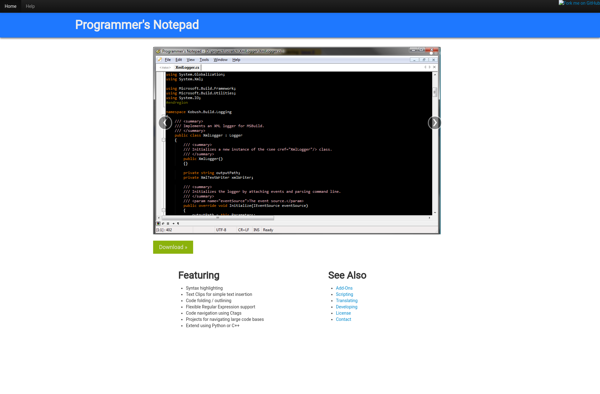
Programmer's Notepad: Lightweight Text Editors
Programmer's Notepad is a lightweight text editor for Windows designed specifically for programmers. It has syntax highlighting support for many programming languages and can open large files quickly.
What is Programmer's Notepad?
Programmer's Notepad is a fast, lightweight text editor designed specifically for computer programmers. It runs on Windows and emphasizes simplicity and ease of use for editing code over features found in more full-featured text editors and integrated development environments (IDEs).
Key features of Programmer's Notepad include:
- Syntax highlighting for over 100 programming languages like C++, Java, HTML, XML, PHP, JavaScript, Perl, Python, and many others
- Fuzzy search to quickly navigate within files and across open documents
- Support for opening very large >100MB text files quickly
- Customizable interface with changeable themes/skins
- Extensions available to add new capabilities
- Portable app requiring no installation
Programmer's Notepad opens instantly and will feel lightweight even when editing larger codebases. It's intended for programmers who want a fast text editor without the bulk of complex IDEs. Its simplicity makes Programmer's Notepad a great standalone editor or a useful complement to other tools.
Programmer's Notepad Features
Features
- Syntax highlighting for many programming languages
- Code folding
- Customizable interface and themes
- Plugin support
- Tabbed interface
- Search and replace
- Quick file navigation
- Lightweight and fast
Pricing
- Open Source
Pros
Cons
Official Links
Reviews & Ratings
Login to ReviewNo reviews yet
Be the first to share your experience with Programmer's Notepad!
Login to ReviewThe Best Programmer's Notepad Alternatives
View all Programmer's Notepad alternatives with detailed comparison →
Top Development and Text Editors and other similar apps like Programmer's Notepad
No alternatives found for Programmer's Notepad. Why not suggest an alternative?







