Rekonq
Rekonq is an open source web browser based on the Qt framework and WebKit rendering engine. It aims to be fast, lightweight and easy to use, with a focus on web standards support.
Rekonq: Open Source Browser
Fast, lightweight, and easy to use web browser based on the Qt framework and WebKit rendering engine, supporting web standards
What is Rekonq?
Rekonq is an open source web browser developed by the KDE community. It is based on the Qt application framework and the WebKit layout engine. Some key features of Rekonq include:
- Fast and lightweight - Rekonq is designed to have a small memory and CPU footprint compared to other major browsers.
- Excellent web standards support - It adheres closely to web standards like HTML5, CSS3, JavaScript, etc.
- Extensible via plugins - Rekonq can be extended with plugins to add more features and functionality.
- Tight integration with the KDE desktop - It fits seamlessly with other KDE apps and allows things like drag-and-drop between apps.
- Customizable interface - Users can tweak things like themes, toolbars, keyboard shortcuts to their liking.
- Tabbed browsing - Easy tab management for accessing multiple webpages in the same window.
Overall, Rekonq aims to balance speed and usability while providing a browser that works flawlessly across the modern web. Its focus on web standards and extensibility make it a good choice for certain Linux users.
Rekonq Features
Features
- Webkit rendering engine
- Tabbed browsing
- Private browsing
- Bookmark management
- Web page printing
- Web page zooming
- Ad blocking
- Keyboard shortcuts
- Web search bar
Pricing
- Open Source
Pros
Lightweight and fast
Good web standards support
Open source
Easy to use interface
Supports extensions
Cons
Limited features compared to other browsers
Small user base and development community
Lacks some privacy features
Official Links
Reviews & Ratings
Login to ReviewThe Best Rekonq Alternatives
View all Rekonq alternatives with detailed comparison →
Top Web Browsers and Qt-Based and other similar apps like Rekonq
Here are some alternatives to Rekonq:
Suggest an alternative ❐
Firefox Developer Edition
Firefox Developer Edition is a version of the Firefox web browser created specifically for web developers. It comes with a variety of built-in tools and features aimed to improve the workflow of anyone developing for the web.Some key features of Firefox Developer Edition include:Built-in JavaScript Debugger for setting breakpoints and...

Google Chrome
Google Chrome stands as a leading web browser, known for its speed, simplicity, and security. Engineered by Google, Chrome offers users a seamless and efficient online experience, setting the standard for web browsing in the modern digital landscape. At the core of Chrome's appeal is its rapid page loading and...

Microsoft Edge
Microsoft Edge represents the evolution of web browsing, offering users a modern and feature-rich experience. Developed by Microsoft, Edge combines speed, security, and customization to create a browser that caters to the diverse needs of users in today's digital era. Speed is at the forefront of Edge's design, with efficient...

Mozilla Firefox
Mozilla Firefox stands as a beacon of user-centric web browsing, championing the values of openness, privacy, and customization. Developed by the Mozilla Foundation, Firefox is an open-source browser that empowers users with a fast, secure, and personalized online experience. Speed is a hallmark of Firefox, with a robust rendering engine...

Brave
What Is Brave Browser?Brave is a privacy-focused web browser built on Chromium that blocks ads and trackers by default. It offers a unique revenue model where users can opt into privacy-respecting ads and earn Basic Attention Token (BAT) cryptocurrency for viewing them.Key FeaturesBrave Shields blocks ads, trackers, fingerprinting, and third-party...

Tor Browser
Tor Browser is a free, open source web browser that allows users to access the internet anonymously and protect their privacy. It is based on Firefox but has been modified to route internet traffic through the Tor network, which encrypts data and bounces communications around a distributed network of relays...


Opera
What Is Opera?Opera is a web browser with built-in features that other browsers require extensions for — including a free VPN, ad blocker, messenger sidebar, and cryptocurrency wallet. Built on Chromium, it supports all Chrome extensions while adding its own unique capabilities.Key FeaturesOpera's built-in free VPN encrypts traffic without bandwidth...

Chromium
Chromium is an open-source web browser project that is the basis for Google's Chrome browser. It is developed as an open source project by volunteers and Google developers, allowing anyone to contribute code and improvements.Some key features of Chromium include:Speed - Chromium utilizes Google's V8 JavaScript engine and other performance...

Pale Moon
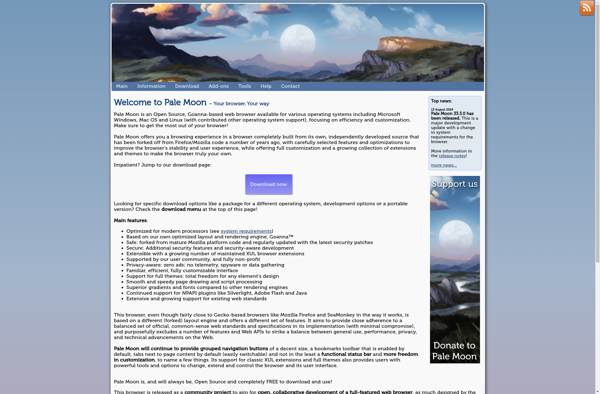
Pale Moon is an open-source web browser developed by M.C. Straver. It is based on the Firefox source code from several years ago and aims to continue the spirit of classic Firefox by focusing on speed, efficiency, and customization.Some key features of Pale Moon include:Uses Firefox's old and fast Gecko...

Ungoogled Chromium
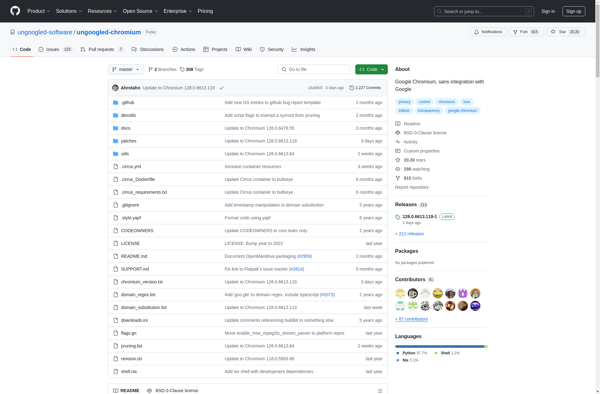
What Is Ungoogled Chromium?Ungoogled Chromium is a set of patches applied to the Chromium source code that systematically removes all Google web service dependencies and telemetry. The result is a browser that looks and works like Chrome but sends zero data to Google.Key FeaturesEvery connection to Google servers is removed...

Fennec F-Droid
Fennec F-Droid is a privacy and security focused mobile web browser for Android devices. It is based on the open source Firefox browser code but has been optimized specifically for mobile platforms.Key features of Fennec F-Droid include:Automatic updates through the F-Droid app store - this allows the browser to easily...

Luakit
Luakit is a lightweight, fast and highly customizable web browser based on the WebKit engine and GTK toolkit. It is designed to be lean, fast and extensible.Some key features of Luakit include:Very low memory and CPU usage for a responsive browsing experience.Extensive keyboard shortcuts for efficient navigation.Customizable through Lua scripts...