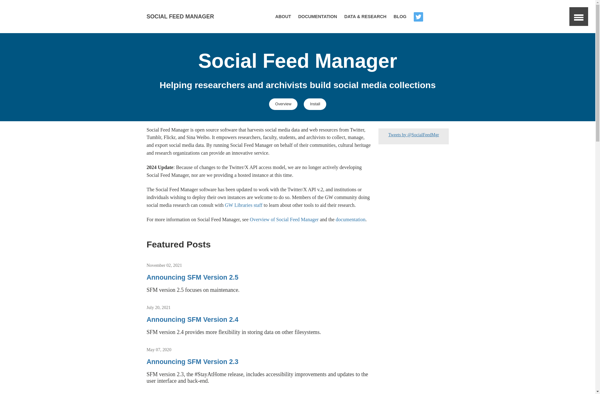
Social Feed Manager
Social Feed Manager is a social media management tool that allows you to schedule and publish content to multiple social media accounts in one place. It supports Facebook, Twitter, LinkedIn, and Instagram.
Social Feed Manager: Schedule & Publish Social Media Content Across Multiple Accounts
Discover the all-in-one social media management tool, allowing you to schedule and publish content to Facebook, Twitter, LinkedIn, and Instagram from a single platform.
What is Social Feed Manager?
Social Feed Manager is a comprehensive social media management platform designed to help businesses and marketers streamline their social media activities. With Social Feed Manager, you can:
- Connect and manage multiple social media accounts like Facebook, Twitter, LinkedIn, and Instagram from one centralized dashboard.
- Schedule and publish content to your connected accounts with just a few clicks - great for social media planning and scheduling.
- Analyze your performance with built-in analytics to see what content works best and which strategy to double down on.
- Monitor brand mentions and relevant hashtags so you never miss an opportunity to engage your audience.
- Shorten links, manage RSS feeds, and automate posting so your accounts are always up-to-date.
- Collaborate with team members by assigning tasks and giving controlled account access.
With its user-friendly interface and comprehensive feature set for publishing, engaging, and monitoring, Social Feed Manager is a great option for social media management and driving results.
Social Feed Manager Features
Features
- Schedule and publish posts to multiple social networks
- Manage multiple social media accounts from one dashboard
- Content calendar for planning
- Automated post scheduling
- Image and video posting
- Analytics and reporting
- Engagement features like commenting and following
- Browser extensions for quick posting
- Team collaboration and workflow
- Mobile app
Pricing
- Freemium
Pros
Saves time managing multiple accounts
Helps plan and organize social media strategy
Automates posting to improve efficiency
Provides analytics and insights
Allows collaboration and team workflow
Supports major social networks
User-friendly interface
Affordable pricing
Cons
Steep learning curve for some users
Limitations on number of users/accounts on lower tiers
Less customization options than some tools
Technical issues and bugs occasionally
Lacks some advanced analytics/listening features
Mobile app lacks some functionality of web app
Official Links
Reviews & Ratings
Login to ReviewThe Best Social Feed Manager Alternatives
View all Social Feed Manager alternatives with detailed comparison →
Top Social & Communications and Social Media Management and other similar apps like Social Feed Manager
Here are some alternatives to Social Feed Manager:
Suggest an alternative ❐
Archive.today
Archive.today is a web archiving service launched in 2012 that allows users to archive webpages and access saved versions even if the original site is inaccessible. It captures screenshots of websites and saves them externally on its servers, preserving their content for future reference.Some key features of Archive.today include:Ability to...

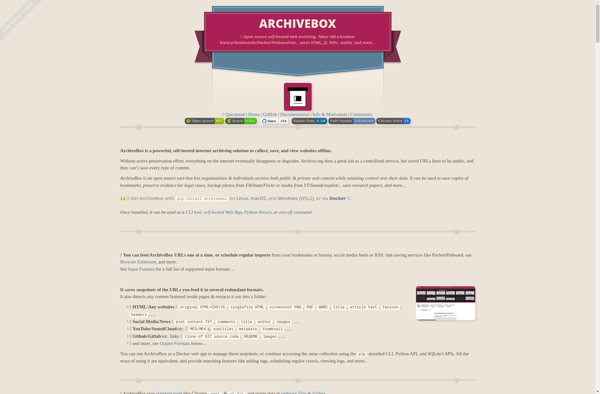
ArchiveBox
ArchiveBox is an open source self-hosted web archiving solution designed to allow anyone to easily collect and archive content from the internet to create their own personal web archive.It works by allowing users to submit URLs which ArchiveBox will then fetch, extract assets from, render snapshots of, and archive the...

TheOldNet
TheOldNet is a free and open-source web application that gives users access to archived and cached versions of websites. It serves as a proxy that retrieves pages from various web archives around the world, such as the Wayback Machine, Archive.Today, Google Cache, and more.By entering a URL into TheOldNet, it...

Stillio Automatic Screenshots
Stillio is a software designed to automatically capture screenshots of web pages. It allows users to input a list of URLs they would like to monitor, set the time interval between screenshots (such as every hour or day), and define for how long they want the monitoring to continue.Once configured,...

Competitor Screenshots
Competitor Screenshots is a software used to take screenshots of competitor websites for analysis and comparison. It has the following key features:Automated screenshot capturing - You can enter multiple URLs and the software will automatically capture screenshots of each page.Image editing - Draw on screenshots, crop images, add text, highlights...

FreezePage
FreezePage is a browser extension available for Chrome, Firefox, and Edge that allows users to capture full-page screenshots of web pages along with annotations. It's an easy way to highlight important sections, add comments, draw arrows/shapes, blur sensitive info, and more right on top of the web page you're viewing.Once...