SSR: Simple Search & Replace
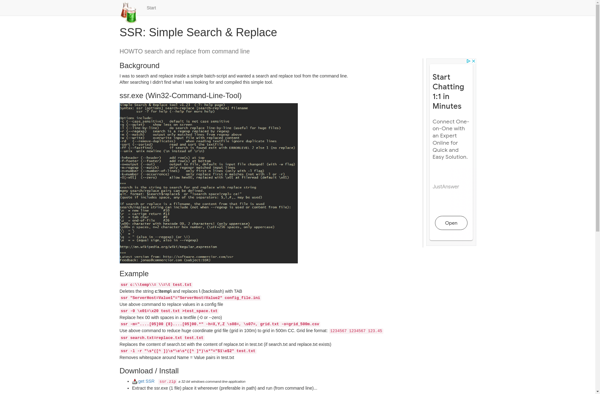
SSR: Lightweight Search and Replace Tool for Windows
A lightweight search and replace tool for Windows, useful for developers, writers, and anyone needing to edit text across projects.
What is SSR: Simple Search & Replace?
SSR: Simple Search & Replace is a free, open source search and replace tool for Windows. It provides an intuitive interface for finding and replacing text across multiple files and folders.
Some key features of SSR include:
- Search and replace text across folders and sub-folders
- Support for regular expressions
- Preview changes before applying them
- Undo recent replace actions easily
- Lightweight and fast search across large projects
- Completely portable - no install required
SSR is targeted at developers, writers, or anyone needing to make text replacements across potentially hundreds of files. For example, developers can use it to efficiently rename variables or update file paths across a codebase. Writers might search for specific words to replace. SSR makes bulk find and replace easy.
As an open source tool, SSR is completely free to use with no ads or unnecessary bloat. It runs as a portable app so doesn't require installing either. Overall, SSR is a great choice if you need a simple but powerful search and replace tool for Windows.
SSR: Simple Search & Replace Features
Features
- Simple and intuitive user interface
- Supports multiple file types including text, code, and binary files
- Allows for regular expression searches and replacements
- Supports case-sensitive and case-insensitive searches
- Provides a preview of changes before applying them
- Supports batch processing of multiple files and folders
- Includes a backup feature to save original files
- Provides detailed logs of all search and replace actions
Pricing
- Free
Pros
Cons
Official Links
Reviews & Ratings
Login to ReviewNo reviews yet
Be the first to share your experience with SSR: Simple Search & Replace!
Login to ReviewThe Best SSR: Simple Search & Replace Alternatives
View all SSR: Simple Search & Replace alternatives with detailed comparison →
Top Development and Text Editors and other similar apps like SSR: Simple Search & Replace
No alternatives found for SSR: Simple Search & Replace. Why not suggest an alternative?







