
VS-QuickNavigation
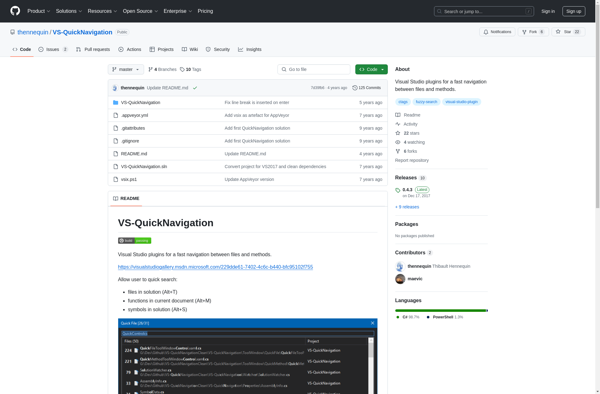
VS-QuickNavigation: Quick Navigation for Visual Studio
VS-QuickNavigation is a Visual Studio extension that allows developers to quickly navigate through code files, symbols and search results. It enhances productivity by providing easy keyboard shortcuts and an improved search UI.
What is VS-QuickNavigation?
VS-QuickNavigation is a Visual Studio extension that aims to improve code navigation and search. It provides several benefits:
- Keyboard shortcuts to quickly jump between files, symbols, search results etc.
- An improved search box UI with advanced filters and search options
- Search highlights that clearly indicate all occurrences of the search term
- Customizable shortcuts and options to suit different developer workflows
- Seamless integration into Visual Studio without disrupting existing workflows
By enhancing navigation and search, VS-QuickNavigation can boost developer productivity and save time spent browsing and scrolling through code. Its intuitive shortcuts and UI refinements streamline discovery and access to relevant code locations. Overall, it's a handy extension for Visual Studio developers looking to optimize their inner-loop coding efficiency.
VS-QuickNavigation Features
Features
- Keyboard shortcuts to quickly navigate between files, symbols and search results
- Improved search UI with advanced filtering and sorting options
- Support for navigating to specific lines/columns in code files
- Integrates seamlessly into Visual Studio without disrupting existing workflows
- Lightweight extension with minimal impact on performance
Pricing
- Free
- Open Source
Pros
Cons
Reviews & Ratings
Login to ReviewThe Best VS-QuickNavigation Alternatives
View all VS-QuickNavigation alternatives with detailed comparison →
Top Development and Code Navigation and other similar apps like VS-QuickNavigation
Here are some alternatives to VS-QuickNavigation:
Suggest an alternative ❐
ReSharper

Visual Assist X

Codinion