
What's My Browser
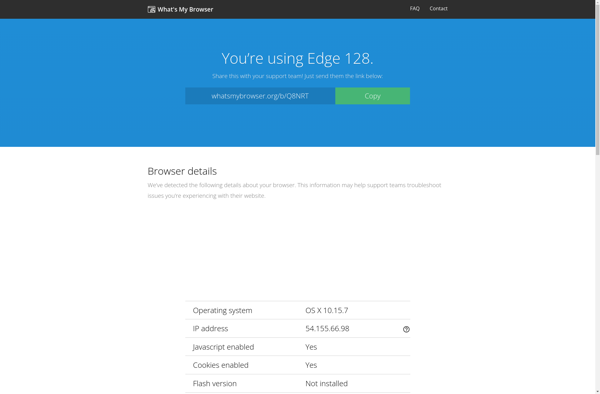
What's My Browser: Identify Your Web Browser, OS, and Device
A free online tool to detect browser name, version, user agent string, and more, helping you understand your web browser, operating system, and device details.
What is What's My Browser?
What's My Browser is a handy online utility that allows users to quickly learn detailed information about their current web browser, operating system, and device. It's completely free to use and only takes a few seconds.
To use What's My Browser, users simply navigate to the website whatsmybrowser.org and click the large 'Detect My Browser' button. The tool then automatically detects information such as:
- Browser name and version (Chrome, Firefox, Safari, etc.)
- Operating system and version (Windows, MacOS, iOS, Android, etc.)
- Full user agent string
- Ad blocker status
- Screen resolution
- Device type (desktop, tablet, phone, etc.)
- Java and Flash status
- Timezone
- And more...
This allows users to quickly get an overview of their current browse environment, which can be helpful for web development, troubleshooting browser issues, or just out of curiosity. The results page also includes additional browser extension and plugin detection.
Overall, What's My Browser provides an easy way for anyone to get detailed information about their browser and device environment, available for free through any current web browser.
What's My Browser Features
Features
- Detects browser name and version
- Identifies operating system and device
- Displays user agent string
- Provides information about browser settings and capabilities
- Offers a simple and user-friendly interface
Pricing
- Free
Pros
Cons
Official Links
Reviews & Ratings
Login to ReviewThe Best What's My Browser Alternatives
View all What's My Browser alternatives with detailed comparison →
Top Web Browsers and Browser Information and other similar apps like What's My Browser
No alternatives found for What's My Browser. Why not suggest an alternative?







