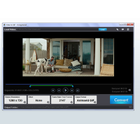
Aoao Video to GIF Converter

Aoao Video to GIF Converter: Convert Videos to High-Quality GIFs
A free software to easily extract GIFs from video files with a simple and intuitive interface for trimming, size settings, and high-quality animated GIF exports.
What is Aoao Video to GIF Converter?
Aoao Video to GIF Converter is a user-friendly Windows application designed to convert video files into animated GIFs. With a clean and straightforward interface, it makes it easy for anyone to extract short animated clips from longer videos.
To use the software, you simply add a video file, set the start and end times, and adjust the output settings like GIF size, frame rate, quality, etc. You can preview the GIF as you make adjustments. Finally, export it with just one click.
Key features include:
- Supports a wide range of video formats including MP4, MOV, MKV, AVI, FLV, WMV, and more
- Lets you trim longer videos to extract short segments
- Offers customized settings for image size, frame rate, image quality
- Simple export to save animated GIFs on your computer
- Completely free with no limits on use or output files
Overall, Aoao Video to GIF Converter makes it really easy to turn video content into animated GIFs with high image quality. The intuitive workflow allows both casual and power users to produce great results fast.
Aoao Video to GIF Converter Features
Features
- Convert video files to GIF
- Trim and cut video segments
- Adjust GIF speed, size and frame rate
- Add text and stickers
- Merge multiple GIFs
- Batch conversion
Pricing
- Free
Pros
Cons
Reviews & Ratings
Login to ReviewNo reviews yet
Be the first to share your experience with Aoao Video to GIF Converter!
Login to ReviewThe Best Aoao Video to GIF Converter Alternatives
View all Aoao Video to GIF Converter alternatives with detailed comparison →
Top Video & Movies and Video Conversion and other similar apps like Aoao Video to GIF Converter
Here are some alternatives to Aoao Video to GIF Converter:
Suggest an alternative ❐
GifApp (Gif Animation GUI Application)


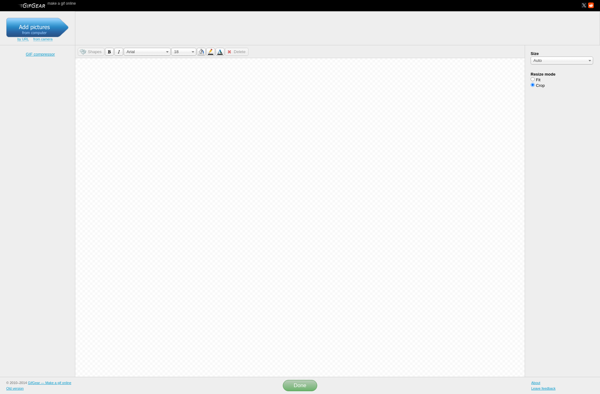
GifGear

WeGIF