
Bandizip X

Bandizip X

Bandizip X is a free and lightweight file archiver software for Windows. It supports various popular archive formats like ZIP, RAR, and 7Z and provides fast compression and decompression speeds.
Bandizip X screenshot

Bandizip X: Fast File Archiver for Windows

Free and lightweight file archiver software with support for ZIP, RAR, and 7Z formats, offering fast compression and decompression speeds.

What is Bandizip X?

Bandizip X is a free and lightweight file archiver and compressor software for Windows. Developed by Bandisoft, it supports creating and extracting various popular archive formats including ZIP, 7Z, RAR, CAB, ISO, and TAR. It also creates self-extracting EXE files.

Some key features of Bandizip X:

  • Provides fast compression and decompression speeds by utilizing multicore processing
  • Supports splitting of large archives into smaller volumes
  • Creates encrypted archives to protect sensitive data
  • Offers options for compression levels from store to ultra
  • Can repair corrupted ZIP and RAR archive files
  • Integrates neatly into Windows shell with drag and drop support
  • Bandizip Server allows archiving over network connections

Overall, Bandizip X is one of the most versatile and user-friendly file archiver tools available. With regular updates and support for the latest archive formats, it remains a popular choice among Windows users for handling compressed file archives efficiently.

Bandizip X Features

Features

  1. Fast compression and decompression speeds
  2. Supports popular archive formats like ZIP, RAR, 7Z, CAB, ARJ, LZH, TAR, GZip, ACE, ISO, etc.
  3. Creates self-extracting EXE files
  4. Encrypts archives with AES-256 encryption
  5. Splits large files into smaller volumes
  6. Extracts specific files from archives without full extraction
  7. Supports multi-core processing
  8. Integrates with Windows Explorer context menu
  9. Supports drag and drop
  10. Has portable and installer versions available

Pricing

  • Free

Pros

Fast and lightweight

Supports many archive formats

Free with no ads or nag screens

Easy to use interface

Good compression ratios

Can create self-extracting archives

AES-256 encryption available

Integrates well with Windows Explorer

Cons

No support for some archive formats like RAR5

Fewer features than paid alternatives

Lacks cloud storage and backup capabilities

No Linux or Mac versions

Reviews & Ratings

Login to Review
3.2

6 reviews

Rating Breakdown
Ease of Use
3.3
Features
3.2
Value for Money
4.0
Customer Support
2.2
Overall Experience
2.8
Recent Reviews
avery_moore66
Avery Moore
Mar 26, 2026
Stuck with the past, not the future

I've used Bandizip for years, but this 'X' version feels like a downgrade. The new install process is clunky, and it keeps defaulting to its own 'BZ' format, which is useless for sharing with others. The ads in the free …

river_taylor52
River Taylor
Mar 26, 2026
Handy and Fast, But the Ads Can Get in the Way

Bandizip X is a fantastic, lightweight archiver that's become my go-to for daily use; it's fast, supports all the major formats I need, and the context menu integration is flawless. However, the constant, insistent pop-up ads for the Pro version, …

mwalker1723
Morgan Walker
Mar 26, 2026
Powerful and fast, but not perfect

Bandizip X is super fast for opening RAR and ZIP files, and I love the clean, modern interface. It handles everything I throw at it without a hitch. However, the nag screen to buy the Pro version is really annoying …

A
Anna Smith
Mar 25, 2026
Gets the job done, but a bit clunky

Bandizip X is a solid, no-frills choice for quickly compressing and extracting archives, and it's hard to argue with the price. However, the interface feels dated compared to modern competitors, and the update process is a bit clunky, pestering you …

annacode12
Anna King
Mar 23, 2026
Frustrating Experience with Clunky Interface and Hidden Limitations

While Bandizip X is free and handles basic extraction, I found the interface cluttered and unintuitive compared to alternatives like 7-Zip. It also unexpectedly prompted me to upgrade to a paid version for some advanced features that weren't clearly marked …

Rating Distribution
5
0
4
3
3
1
2
2
1
0

The Best Bandizip X Alternatives

View all Bandizip X alternatives with detailed comparison →

Top File Management and Compression and other similar apps like Bandizip X


The Unarchiver icon

The Unarchiver

The Unarchiver is a free and open source file archiver utility for Mac OS X that allows users to open and extract files from common archive and compression formats including ZIP, RAR, 7z, tar, gzip, bzip2, LZH, StuffIt and many others. It provides an easy drag-and-drop interface to decompress archived...
The Unarchiver image
PeaZip icon

PeaZip

PeaZip is a popular open source file archiver and file manager application available for Windows, Linux, and macOS operating systems. Developed with portability and security in mind, PeaZip supports over 200 file formats including ZIP, 7Z, RAR, ARJ, and TAR. It can create encrypted archives using AES-256 bit encryption to...
PeaZip image
WinZip icon

WinZip

WinZip is one of the most widely used file archiver and compressor programs for Windows. First released in 1991, WinZip pioneered the concept of zip files, which allows users to compress one or more files into a single compressed archive that takes up less storage space and is easier to...
WinZip image
Bandizip icon

Bandizip

Bandizip is a free file archiver and compressor software for Windows. Developed by Bandisoft, it aims to be a fast, lightweight, and easy-to-use alternative to other archive managers.Bandizip supports all common archive formats including ZIP, RAR, 7z, ISO, CAB, TAR, and more. It utilizes multiple compression engines like ZIP, 7z,...
Bandizip image
NanaZip icon

NanaZip

NanaZip is a free, open source file archiving and compression software for Windows. It provides an intuitive and easy to use interface for handling ZIP, 7Z, RAR, LHA, ISO and other common archive formats.Some of the key features of NanaZip include:Support for creating and extracting a wide variety of archive...
NanaZip image
IZArc icon

IZArc

IZArc is a free file archiving utility for Windows that allows users to create and extract archives in various formats including 7z, ZIP, RAR, ARJ, LZH, TAR, GZip, ISO, and more. First released in 2007, IZArc aims to be a convenient and easy-to-use alternative to paid archiving software.Some key features...
IZArc image
File Roller icon

File Roller

File Roller is a free and open source archive manager application designed for the GNOME desktop environment. It serves as the default archive utility included with GNOME. File Roller provides an intuitive graphical user interface that allows users to easily create, view, extract, and modify archive files without needing to...
File Roller image
Xarchiver icon

Xarchiver

Xarchiver is a free, open source archive manager for the Xfce desktop environment on Linux systems. It provides an easy to use graphical interface for managing compressed archives, allowing users to view, create, and extract a variety of archive formats including: 7z, ARJ, bzip2, gzip, lzip, PAQ, PEA, tar, zip,...
Xarchiver image
7-Zip icon

7-Zip

7-Zip is a powerful and free file archiver and compressor for Windows, Linux and macOS. It has very high compression ratios compared to other popular archivers like WinRAR and WinZIP, sometimes reducing files by up to 80%.7-Zip supports most common archive formats including ZIP, GZIP, BZIP2, TAR, 7z, ARJ, CAB,...
7-Zip image
BetterZip icon

BetterZip

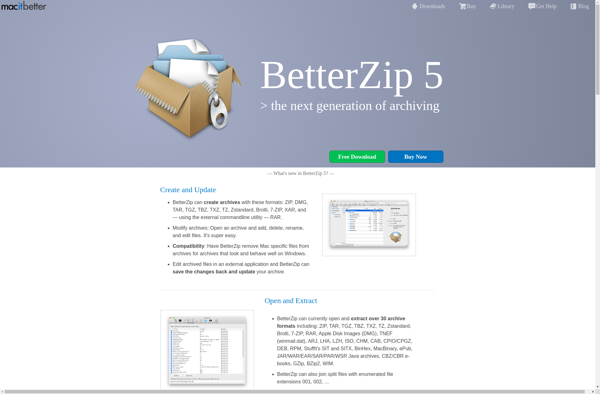
BetterZip is a file archiver and compressor software application designed specifically for macOS. It supports creating and extracting archives in popular formats including ZIP, TAR, GZIP, BZIP2, 7Z, RAR, and more.Some key features of BetterZip include:Intuitive interface with support for drag-and-drop, file previews, and customizable toolbarPassword protection and AES-256 encryption...
BetterZip image
P7zip icon

P7zip

p7zip is an open source file archiver utility that provides very high compression ratios compared to programs like WinRAR and WinZip. It supports 7z, ZIP, GZIP, BZIP2 and TAR formats with LZMA, LZMA2, PPMD, BZIP2, DEFLATE and COPY codecs.Some key features of p7zip:High compression ratiosSecure AES-256 encryptionIntegration with file managers...
P7zip image
WinRAR icon

WinRAR

WinRAR is a proprietary file archiver and data compression utility for Windows. First released in 1995, WinRAR quickly became one of the most popular tools for compressing and decompressing files on PCs.Key features of WinRAR include:Supports RAR and ZIP archives for compressing and storing files in smaller sized containersOffers multiple...
WinRAR image