BeHe exploreR is an open-source data analysis and visualization software focused on exploratory data analysis. It supports importing, manipulating and visualizing data in a user-friendly graphical interface.
BeHe exploreR: Open-Source Data Analysis & Visualization Software
BeHe exploreR is an open-source data analysis and visualization software focused on exploratory data analysis. It supports importing, manipulating and visualizing data in a user-friendly graphical interface.
What is BeHe exploreR?
BeHe exploreR is an open-source, cross-platform data analysis and visualization application focused on exploratory data analysis (EDA). It features a graphical user interface designed to make working with data more intuitive.
Some key features and capabilities of BeHe exploreR include:
Support for importing data from a variety of file formats including CSV, Excel, SAS, SPSS, and more.
An interactive spreadsheet-style data viewer with support for filtering, sorting, plotting, and transforming data.
A wide range of visualization options including scatter plots, histograms, box plots, maps, and more for univariate, bivariate, and multivariate data.
Statistical analysis tools like hypothesis testing, correlation analysis, regression modeling, clustering, and more.
Support for writing scripts and workflows to automate data imports, transformations, analyses, and reporting.
Extensive customization options for plots including colors, labels, legends, axes, and other aesthetic elements.
Capabilities to export visualizations and analysis results to images, PDFs, or as new datasets.
An intuitive drag-and-drop workflow builder to guide users through common EDA tasks.
Available across Windows, Mac, and Linux with an active open-source development community.
With its user-friendly interface, broad feature set, and open-source accessibility, BeHe exploreR is designed to make exploratory data analysis accessible and intuitive for users at any technical skill level.
BeHe exploreR Features
Features
Interactive data visualization
Exploratory data analysis
Data wrangling and transformation
Modeling and machine learning
Reproducible analysis with R Markdown
Add-ons for additional functionality
Pricing
Open Source
Pros
User-friendly graphical interface
Open source and free
Powerful data analysis capabilities
Extensive visualization options
Integration with R and Python
Active development community
Cons
Steep learning curve
Less scalable for big data
Limited options for web or dashboard publishing
Not as advanced as R or Python for statistics/modeling
Google Chrome stands as a leading web browser, known for its speed, simplicity, and security. Engineered by Google, Chrome offers users a seamless and efficient online experience, setting the standard for web browsing in the modern digital landscape. At the core of Chrome's appeal is its rapid page loading and...
Mozilla Firefox stands as a beacon of user-centric web browsing, championing the values of openness, privacy, and customization. Developed by the Mozilla Foundation, Firefox is an open-source browser that empowers users with a fast, secure, and personalized online experience. Speed is a hallmark of Firefox, with a robust rendering engine...
Safari, Apple's proprietary web browser, is designed to deliver a seamless and efficient browsing experience across the range of Apple devices. As the default browser on macOS, iOS, iPadOS, and watchOS, Safari integrates seamlessly with the Apple ecosystem, providing users with a cohesive and responsive online journey. Speed and energy...
What Is Brave Browser?Brave is a privacy-focused web browser built on Chromium that blocks ads and trackers by default. It offers a unique revenue model where users can opt into privacy-respecting ads and earn Basic Attention Token (BAT) cryptocurrency for viewing them.Key FeaturesBrave Shields blocks ads, trackers, fingerprinting, and third-party...
Tor Browser is a free, open source web browser that allows users to access the internet anonymously and protect their privacy. It is based on Firefox but has been modified to route internet traffic through the Tor network, which encrypts data and bounces communications around a distributed network of relays...
What Is Opera?Opera is a web browser with built-in features that other browsers require extensions for — including a free VPN, ad blocker, messenger sidebar, and cryptocurrency wallet. Built on Chromium, it supports all Chrome extensions while adding its own unique capabilities.Key FeaturesOpera's built-in free VPN encrypts traffic without bandwidth...
What Is Ungoogled Chromium?Ungoogled Chromium is a set of patches applied to the Chromium source code that systematically removes all Google web service dependencies and telemetry. The result is a browser that looks and works like Chrome but sends zero data to Google.Key FeaturesEvery connection to Google servers is removed...
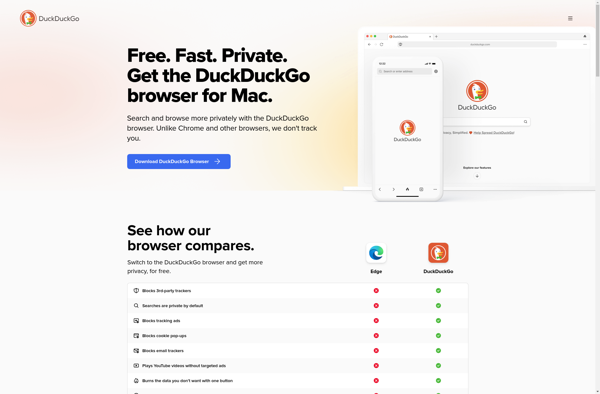
DuckDuckGo Privacy Browser is a mobile web browser application developed by DuckDuckGo. It is available as a free download for both iOS and Android devices.The key focus of DuckDuckGo Privacy Browser is on providing enhanced privacy protection for users. It blocks hidden third-party trackers that follow you around the web...
FOSS Browser is an open source web browser that prioritizes user privacy, security, and customization options. As an open source project, its code is transparent and auditable by security researchers. FOSS Browser blocks online ads, trackers, and malicious sites by default to protect users from surveillance and malware.Unlike mainstream browsers...
Fennec F-Droid is a privacy and security focused mobile web browser for Android devices. It is based on the open source Firefox browser code but has been optimized specifically for mobile platforms.Key features of Fennec F-Droid include:Automatic updates through the F-Droid app store - this allows the browser to easily...