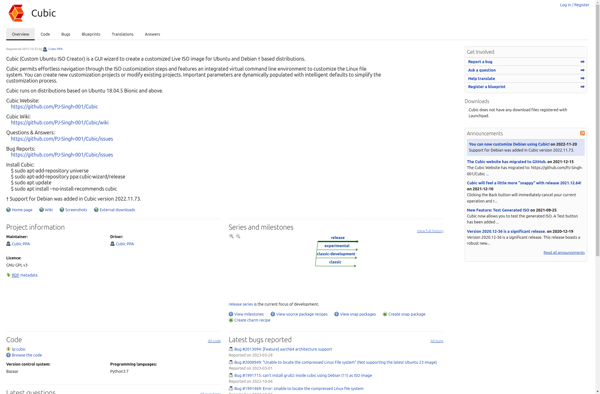
Cubic is an open-source workflow automation platform that allows you to create and manage automated workflows between various applications and services. It aims to simplify complex IT processes and boost productivity.
Automate IT processes, boost productivity with Cubic, an open-source workflow automation platform simplifying complex workflows between applications and services.
What is Cubic?
Cubic is an open-source workflow automation platform designed to connect your applications, data and devices into automated workflows. It allows you to integrate your business systems, set up workflows between apps and services, and automate repetitive tasks.
Some key features of Cubic include:
Visual workflow designer for building workflows without code
Hundreds of pre-built connectors and integrations
Robust execution engine to reliably run automated workflows
Centralized dashboard for monitoring workflow execution
Role-based access control for managing user permissions
APIs and SDKs available for custom integration
Cubic aims to boost productivity by streamlining repetitive processes, reducing human error from manual work, and allowing your team to focus on more impactful tasks. With its easy-to-use visual interface along with enterprise-grade capabilities, Cubic can help in automating critical business workflows across various departments.
It helps you connect all your tools, data and infrastructure through a seamless automation platform that puts you in control. Cubic is designed to be user-friendly enough for no-code business users but customizable for advanced devops teams.
Cubic Features
Features
Visual workflow designer
Pre-built workflow templates
Integration with various apps/services
Monitoring and analytics
Access control and permissions
Version control
Error handling
Scheduling and triggers
Pricing
Open Source
Pros
Open source and free
Easy to use drag and drop workflow designer
Large library of pre-built workflow templates
Scalable to automate complex processes
Integrates with many popular apps and services
Strong community support
Cons
Limited native integrations compared to some platforms
Steeper learning curve than no-code platforms
Not as feature rich as some commercial alternatives
Pinguy Builder is a powerful yet user-friendly application for remastering Ubuntu or Linux Mint distributions. It allows you to fully customize an OS image with your choice of packages, themes, icons, wallpapers, and more.Some key features of Pinguy Builder include:Intuitive graphical interface for selecting customizationsSupports the latest releases of Ubuntu...
BodhiBuilder is an open-source web application designed to help create interactive eLearning courses without coding. It features a user-friendly drag-and-drop interface that allows non-technical users to quickly build engaging learning content such as scenarios, questions, assessments and more.Some key features of BodhiBuilder include:Intuitive visual course editor for building scenarios, dialogues,...
Distroshare Ubuntu Imager is a user-friendly, open source application designed specifically for writing Ubuntu images to USB drives and SD cards to create live and installable Ubuntu boot media. It offers a streamlined graphical interface allowing you to easily:Select an Ubuntu image file (ISO) from your computer or download the...
Penguins Eggs is a open-source, self-hosted blogging software designed to be simple yet powerful. It was created as an alternative to more complex blogging platforms like WordPress for non-technical users who just want an easy way to publish content online.Some key features of Penguins Eggs include:Intuitive admin interface - The...
Linux Respin is a Linux distribution based on Ubuntu that aims to provide an easy-to-use and customizable desktop operating system for home and business users. Some key features of Linux Respin include:Comes preloaded with useful software like LibreOffice, Firefox, Thunderbird, VLC media player, and more.Has automatic hardware detection and configuration...
mklivecd is an open-source tool for creating customized live Linux CD/DVD/USB images. It allows building a bootable live system using the packages, configuration files, and preferences from an existing Linux installation.Some key features of mklivecd include:Builds live images in ISO or disk image formats that can be booted or copied...