Filmage Screen is video editing software designed for beginners looking to create professional-quality videos. It provides an intuitive drag-and-drop interface and various templates to easily edit videos, photos, and audio. The software is lightweight yet powerful for basic editi
Filmage Screen: Beginner-Friendly Video Editing Software
Filmage Screen offers an intuitive drag-and-drop interface and templates for easy video, photo, and audio editing, perfect for beginners seeking professional-quality results.
What is Filmage Screen?
Filmage Screen is an easy-to-use video editing software aimed at beginners and amateur video creators looking to edit footage and photos to produce high-quality videos. With its intuitive drag-and-drop timeline interface, pre-made templates, various transitions and effects, and multi-track timeline, Filmage Screen makes video production accessible without requiring extensive technical knowledge.
Some key features of Filmage include:
Intuitive drag-and-drop interface to easily arrange clips on the timeline
Various video transitions and effects to stylize videos
Animated text and titles to enhance videos
Pre-made templates for different video projects like travel videos, event highlights, etc.
Tools to trim, split, copy/paste clips
Multi-track timeline allowing overlays of videos, images, audio etc.
Support to import and export files in various formats
Screen recording capability to capture computer screen
Chroma key tool to overlay clips onto custom backgrounds
Overall, Filmage Screen aims to provide a lightweight and easy way for novices to get started with creative video production without needing advanced skill sets. While it lacks some advanced features of professional software, it gets the basic editing jobs done for personal and online videos.
Filmage Screen Features
Features
Intuitive drag-and-drop interface
Various templates for easily editing videos
Support for editing videos, photos, and audio
Basic color correction and audio editing tools
Library of royalty-free music and sound effects
Ability to add text, transitions, and effects
Screen recording capability
Export videos in various formats
Pricing
One-time Purchase
Subscription-Based
Pros
Easy to use for beginners
Affordable pricing
Good selection of templates
Fast and lightweight
Covers basic editing needs
Cons
Limited advanced editing capabilities
Fewer effects and transitions than advanced software
What Is CapCut?CapCut is a free video editing app developed by ByteDance (the company behind TikTok). Available on iOS, Android, and desktop, it provides professional-level editing tools in an interface designed for social media content creators.Key FeaturesCapCut includes multi-track timeline editing, keyframe animation, chroma key (green screen), speed ramping, and...
Camtasia is a powerful screen recording and video editing app that makes it easy to create professional-looking tutorial videos, software demonstrations, video lessons, and more. It's made by TechSmith and available for both Windows and Mac.Some key features of Camtasia include:Intuitive screen recorder that captures all on-screen activity including cursor...
iMovie is a free video editing software application for macOS and iOS developed by Apple. It allows users to easily create and edit movies, trailers, and personal videos using their photos, video clips, and music from their Mac or iOS device. iMovie comes standard on every new Mac and is...
Adobe Premiere Pro is professional video editing software used by professionals and enthusiasts alike. As part of the Adobe Creative Cloud suite, it integrates seamlessly with other Adobe apps like After Effects, Audition, and Photoshop.Key features of Premiere Pro include:Non-linear video editing timeline for film-style editingTools for color correction, audio...
Wondershare Filmora is a powerful yet easy-to-use video editing software designed for both beginner and professional video editors. It provides a variety of video editing features and effects for creating professional-looking videos for YouTube, social media, etc.Key features of Filmora:Intuitive drag-and-drop interface ideal for beginnersVarious transitions, effects, overlays, elements and...
VN Video Editor is a free video editing application for Windows, providing basic yet powerful video editing capabilities for beginners. With an intuitive drag-and-drop interface, VN Video Editor makes video editing easy and approachable.Key features of VN Video Editor include:Trim, split and merge video clipsAdd transitions and effects like chroma...
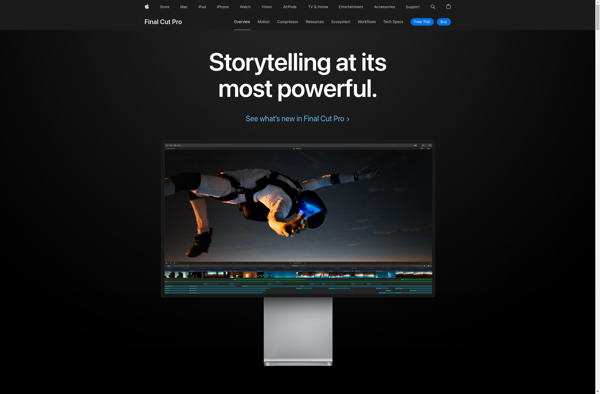
Final Cut Pro is a professional video editing application developed by Apple Inc. First released in 1999, Final Cut Pro has become widely used by video editors, producers, motion graphic artists, videographers, and other media professionals.Some key features of Final Cut Pro include:Non-linear, non-destructive video editing interface allowing flexible editingSupports...
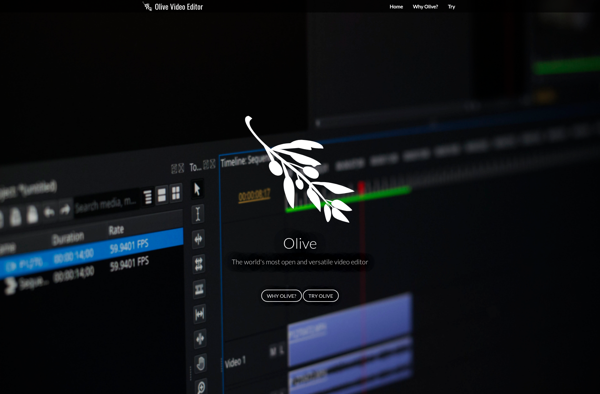
Olive Video Editor is a free and open-source nonlinear video editing application for Linux, Windows and macOS operating systems. Developed by Olive Team, it aims to provide a fully-featured alternative to high-end professional video editing software like Adobe Premiere Pro and DaVinci Resolve.Some key features of Olive Video Editor include:Non-linear...
ModuleArt Quick Screen Recorder is a fast and intuitive screen recording and editing software for Windows. With an emphasis on simplicity and efficiency, it packs professional-grade recording and editing tools into an accessible package.Some key features include:Record any area of your screen, webcam video, computer audio, and microphone audioDraw directly...
Write-on Video is a user-friendly video creation and editing software designed to help users annotate, draw, add text, animations, and more onto videos. It provides an intuitive interface for creating captivating videos.With Write-on Video, users can easily import videos, presentations, images, PDFs, and more then use the built-in annotation and...
MP3myMP3 is a versatile audio conversion software that enables you to easily convert your music files between all popular audio formats. Some key features include:Ability to rip audio CDs directly to MP3, FLAC, WMA, AAC, M4A, OGG and moreConvert between audio formats like MP3, WMA, OGG, WAV, FLAC, AAC, M4AEdit...
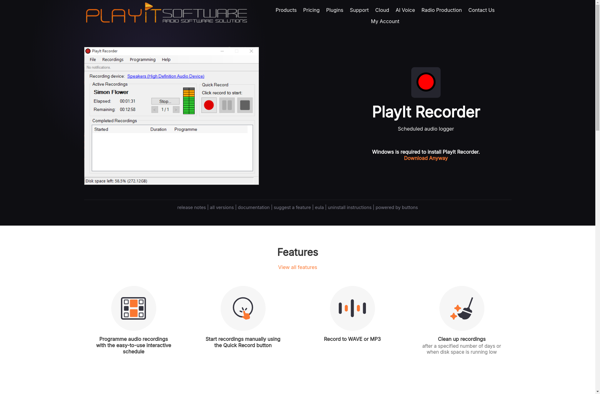
PlayIt Recorder is a free audio recording software for Windows that makes it easy to record sound from any audio source on your computer. With an intuitive and straightforward interface, it's simple enough for beginners yet packed with advanced features for power users.You can record audio from microphone, system audio,...