Hide Drives
Hide Drives: Free, Open-Source Drive Hiding Software for Windows
A free and open-source software to hide hard drives and external USB drives in Windows, allowing full access while removing from display.
What is Hide Drives?
Hide Drives is a free, open-source utility for Windows that gives users the ability to hide hard drives and external USB storage devices from being displayed in Windows Explorer. Despite hiding the drives, Hide Drives still allows full access to them.
The software works by stopping the selected drives from being enumerated in Windows Explorer's drive list. This prevents the drives from being visible when browsing files and folders. However, the drives remain fully accessible if you know the drive letter or path. This makes Hide Drives useful for hiding personal, backup, or shared drives you still need access to.
Some key features of Hide Drives include:
- Hiding internal hard drives, external USB hard drives, USB sticks, memory cards, CD/DVD drives
- Password protection to prevent unauthorized access
- Portable version available that can be run from a USB stick
- Compatible with all versions of Windows from XP onwards
- Completely free and open-source
Hide Drives has a simple interface that allows you to choose which drives to hide with a single click. It runs in the system tray and there is an option to start Hide Drives automatically when Windows boots up.
The software is released under the GNU General Public License. The source code is available for viewing and modification by advanced users. Hide Drives does not contain any malware, ads, or unwanted toolbars.
Hide Drives Features
Features
- Hides drives from Windows Explorer
- Password protects hidden drives
- Portable version available
- Open source software
Pricing
- Free
- Open Source
Pros
Cons
Reviews & Ratings
Login to ReviewThe Best Hide Drives Alternatives
View all Hide Drives alternatives with detailed comparison →
Top Security & Privacy and Privacy Tools and other similar apps like Hide Drives
Here are some alternatives to Hide Drives:
Suggest an alternative ❐
Drive Locker
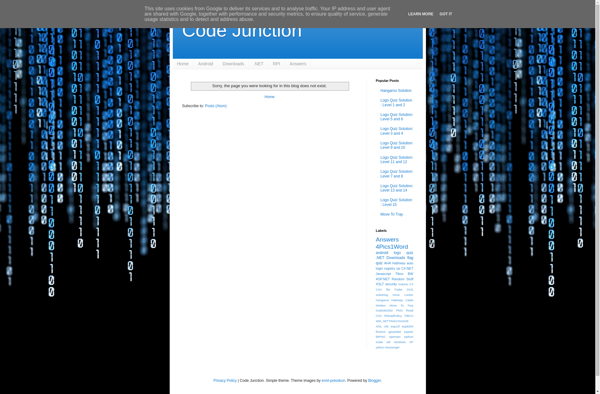

NoDrives Manager
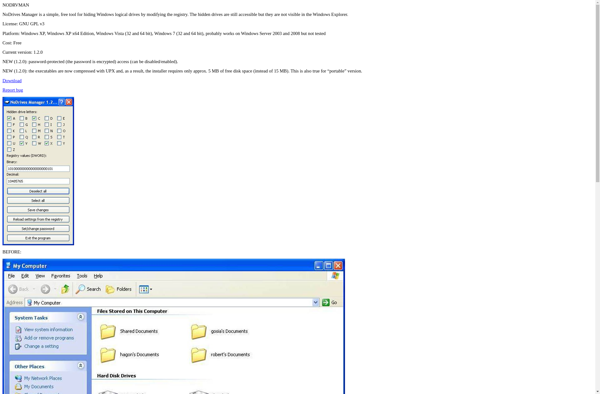

Simple Run Blocker