
Paul's Graphic Viewer
Paul's Graphic Viewer: Free Image Viewer and Editor for Windows
A free, open-source image viewer and editor for Windows with support for multiple formats and basic editing features.
What is Paul's Graphic Viewer?
Paul's Graphic Viewer is a free, open-source image viewing and editing software for Windows. Developed by PaulNET, it is designed to be a lightweight and easy-to-use alternative to bulkier programs like Photoshop.
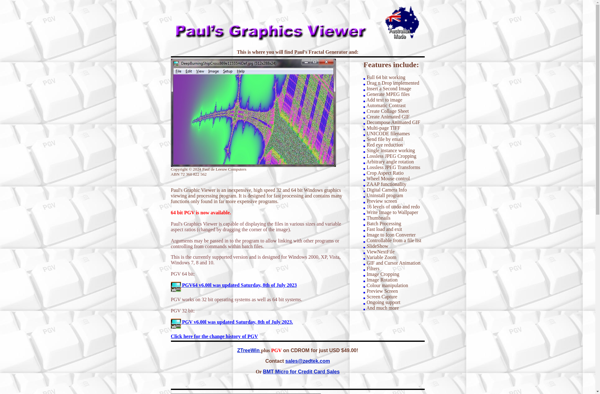
Some key features of Paul's Graphic Viewer include:
- Supports all common image formats including JPG, PNG, GIF, TIFF, BMP, and more
- Basic editing tools for cropping, resizing, rotating, flipping, and color adjustments
- Slideshow mode to view images full-screen
- EXIF data viewer
- Print previews
- Zoom, pan, and scroll tools for navigating high-res images
- Batch processing to edit multiple images at once
- Lossless save options to retain maximum image quality
- Completely free and open-source
While more advanced users may still require the expansive toolset of Adobe Photoshop, Paul's Graphic Viewer excels at day-to-day image viewing and light editing tasks. Its low resource usage and simplicity also make it well-suited for older or low-powered PCs.
Paul's Graphic Viewer Features
Features
- View images in various formats like JPG, PNG, GIF, BMP
- Basic image editing tools like cropping, resizing, rotation
- Supports drag and drop
- Simple and intuitive interface
- Lightweight and fast
- Open source and free
Pricing
- Free
- Open Source
Pros
Cons
Official Links
Reviews & Ratings
Login to ReviewNo reviews yet
Be the first to share your experience with Paul's Graphic Viewer!
Login to ReviewThe Best Paul's Graphic Viewer Alternatives
View all Paul's Graphic Viewer alternatives with detailed comparison →
Top Photos & Graphics and Image Viewing & Editing and other similar apps like Paul's Graphic Viewer
No alternatives found for Paul's Graphic Viewer. Why not suggest an alternative?







