
Skip to content
pigz

Pigz

pigz is a parallel implementation of gzip that utilizes multiple CPU cores for compression and decompression. It can achieve much faster speeds than standard gzip on systems with multiple cores.
pigz screenshot

pigz: Parallel Gzip Implementation

A parallel implementation of gzip that utilizes multiple CPU cores for compression and decompression, achieving faster speeds on multi-core systems

What is Pigz?

What Is pigz?

pigz (Parallel Implementation of GZip) is a fully functional replacement for gzip that exploits multiple processors and cores when compressing data. It was written by Mark Adler, who co-authored the zlib compression library and the gzip format specification.

Key Features

pigz divides the input into 128KB blocks and compresses each block in parallel on separate threads. On a machine with multiple cores, this results in compression speeds that scale nearly linearly with the number of available cores — making it dramatically faster than single-threaded gzip on modern hardware.

The output is fully compatible with gzip and gunzip. pigz supports gzip, zlib, and raw deflate formats, plus zip archive creation. Decompression is mostly single-threaded (due to the nature of the deflate format) but pigz does use additional threads for reading, writing, and checksum calculation.

Use Cases

pigz is commonly used in backup scripts, CI/CD pipelines, log compression, and any workflow where gzip is a bottleneck. It is a drop-in replacement — just alias gzip to pigz and everything works faster.

Pigz Features

Features

  1. Parallel compression/decompression utilizing multiple CPU cores
  2. Faster than standard gzip on multi-core systems
  3. Compatible with gzip
  4. Supports gzip, zlib, and raw deflate compression methods
  5. Can decompress files compressed by gzip

Pricing

  • Open Source

Pros

Much faster than gzip on multi-core systems

Full compatibility with gzip

Simple drop-in replacement for gzip

Efficiently utilizes modern multi-core CPUs

Cons

Single-threaded performance similar to gzip

Requires parallel computing capabilities to see speed gains

Reviews & Ratings

Login to Review
4.1

6 reviews

Rating Breakdown
Ease of Use
4.3
Features
4.2
Value for Money
5.0
Customer Support
2.7
Overall Experience
4.0
Recent Reviews
riley_moore72
Riley Moore
Apr 20, 2026
Massive time-saver for large compression jobs

As someone who regularly compresses multi-gigabyte log files, pigz has been a game-changer. The parallel processing cuts compression times significantly on my 8-core workstation, often completing tasks 3-4 times faster than standard gzip. It maintains perfect compatibility with existing gzip …

lmiller6896
Lisa Miller
Apr 20, 2026
Speed comes at a compatibility cost

pigz is blazing fast on my 8-core workstation, often cutting compression times by 60-70% compared to regular gzip. However, I've run into occasional compatibility headaches with older systems or scripts that expect standard gzip headers. The syntax is nearly identical …

mthomas5561
Morgan Thomas
Apr 19, 2026
A Speedy Tool with a Few Rough Edges

pigz is a lifesaver when I need to compress large log files quickly, easily cutting my compression time in half compared to standard gzip. However, the command-line options can be a bit arcane, and it doesn't always play nicely with …

avery_smith61
Avery Smith
Apr 18, 2026
Fast when it works, but compatibility headaches

pigz delivers on its promise of speed, drastically cutting down compression times for large files on my multi-core workstation. However, I've run into issues where some older systems can't handle the pigz-compressed archives, forcing me to fall back to standard …

shall1083
Skyler Hall
Apr 18, 2026
A Must-Have for Anyone Working with Large Files

pigz has been a game-changer for my daily workflow. I regularly compress multi-gigabyte log files, and what used to take minutes with gzip now completes in seconds thanks to its parallel processing. The command-line syntax is nearly identical to gzip, …

Rating Distribution
5
3
4
2
3
1
2
0
1
0

The Best Pigz Alternatives

View all pigz alternatives with detailed comparison →

Top Os & Utilities and Compression and other similar apps like Pigz


7-Zip icon

7-Zip

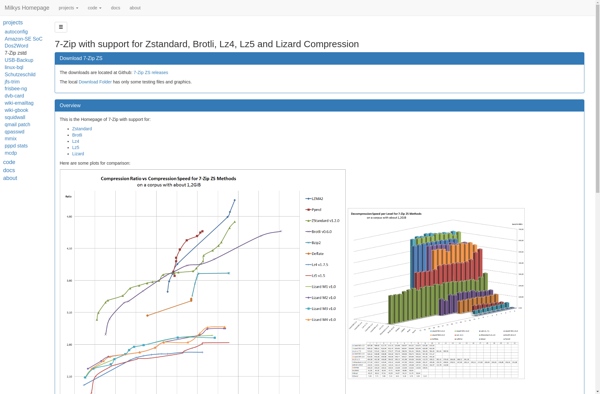
7-Zip is a powerful and free file archiver and compressor for Windows, Linux and macOS. It has very high compression ratios compared to other popular archivers like WinRAR and WinZIP, sometimes reducing files by up to 80%.7-Zip supports most common archive formats including ZIP, GZIP, BZIP2, TAR, 7z, ARJ, CAB,...
7-Zip image
PeaZip icon

PeaZip

PeaZip is a popular open source file archiver and file manager application available for Windows, Linux, and macOS operating systems. Developed with portability and security in mind, PeaZip supports over 200 file formats including ZIP, 7Z, RAR, ARJ, and TAR. It can create encrypted archives using AES-256 bit encryption to...
PeaZip image
IZArc icon

IZArc

IZArc is a free file archiving utility for Windows that allows users to create and extract archives in various formats including 7z, ZIP, RAR, ARJ, LZH, TAR, GZip, ISO, and more. First released in 2007, IZArc aims to be a convenient and easy-to-use alternative to paid archiving software.Some key features...
IZArc image
7-Zip ZS icon

7-Zip ZS

7-Zip ZS is a powerful and free file archiving solution for compressing and encrypting files and folders. It supports a wide range of popular compression formats including 7z, ZIP, GZIP, BZIP2, TAR and more. Some key features include:Open source software available for Windows, Linux and macOSHigh compression ratios to reduce...
7-Zip ZS image
NanaZip icon

NanaZip

NanaZip is a free, open source file archiving and compression software for Windows. It provides an intuitive and easy to use interface for handling ZIP, 7Z, RAR, LHA, ISO and other common archive formats.Some of the key features of NanaZip include:Support for creating and extracting a wide variety of archive...
NanaZip image
PKZIP icon

PKZIP

PKZIP is one of the original and most popular file archiver and compression utilities for Windows, macOS, and Linux operating systems. First released in the 1980s by Phil Katz, PKZIP pioneered many data compression techniques and file archive formats that are still in use today.PKZIP allows combining multiple files and...
PKZIP image
TC4Shell icon

TC4Shell

TC4Shell is an open-source, cross-platform command shell and scripting language that provides easy access to TC/Server functions. It allows you to automate tasks, integrate with other tools, and build customized solutions.Some key features of TC4Shell include:Scripting language for automating tasks and workflowsAccess to all TC/Server configuration, management, and monitoring functionsExtensible...
TC4Shell image
WinZip icon

WinZip

WinZip is one of the most widely used file archiver and compressor programs for Windows. First released in 1991, WinZip pioneered the concept of zip files, which allows users to compress one or more files into a single compressed archive that takes up less storage space and is easier to...
WinZip image
Gzip icon

Gzip

gzip is a popular file compression utility used in Linux and Unix-like operating systems to compress and decompress files. It is based on the DEFLATE data compression algorithm, which combines LZ77 compression and Huffman coding for high compression ratios.Some key features of gzip include:Open source and free utility included with...
Gzip image
Explzh for Windows icon

Explzh for Windows

Explzh is a free, open-source file explorer for Windows that provides an alternative to the default Windows File Explorer. Some key features of Explzh include:Tabbed interface for opening multiple folders in the same windowDual panel view to easily copy/move files between foldersHighly customizable via skins, icon sets, toolbar customizationAdvanced searching...
Explzh for Windows image
WinRAR icon

WinRAR

What Is WinRAR?WinRAR is one of the most widely used file compression and archiving utilities for Windows. It creates and extracts RAR and ZIP archives, and can unpack dozens of other formats including 7z, TAR, GZ, ISO, and CAB.Key FeaturesWinRAR's RAR format typically achieves better compression ratios than ZIP, especially...
WinRAR image
Google drive open source ZIP EXTRACTOR icon

Google drive open source ZIP EXTRACTOR

A Google Drive open source zip extractor is a software that enables users to unzip and extract zip archive files stored in their Google Drive, directly within the cloud. This eliminates the need to first download the zip files before extracting them.It is an open source tool that can be...
Google drive open source ZIP EXTRACTOR image
LZ4 icon

LZ4

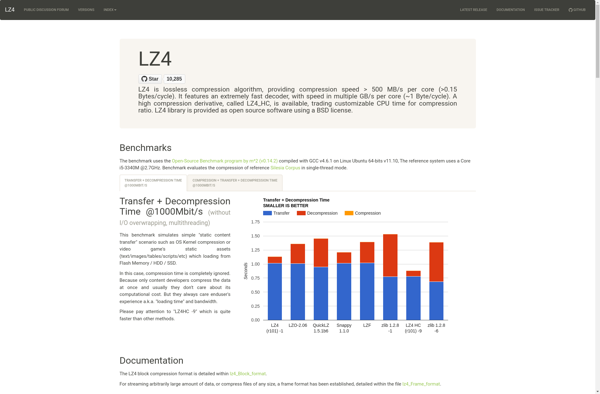
LZ4 is an extremely fast lossless compression algorithm created by Yann Collet. It prioritizes compression and decompression speed over the compression ratio, making it well-suited for applications that require fast data access and real-time compression/decompression.Some key features of LZ4 include:Extremely fast compression and decompression speeds, faster than other algorithms like...
LZ4 image