PopCorn MKV AudioConverter
PopCorn MKV AudioConverter is a free software that allows you to easily extract, convert and manipulate audio tracks from MKV video files. It has a simple interface for converting between different audio codecs like AC3, DTS, MP3, AAC, etc.

PopCorn MKV AudioConverter: Free Software for Audio Extraction and Conversion
A simple and free software for converting audio tracks from MKV video files to various formats like AC3, DTS, MP3, AAC, etc.
What is PopCorn MKV AudioConverter?
PopCorn MKV AudioConverter is a handy utility for working with audio tracks in Matroska (MKV) video files. It provides an intuitive interface that allows you to easily:
- Extract audio tracks from MKV videos
- Convert MKV audio tracks between different formats like AC3, DTS, MP3, AAC, etc.
- Remux MKV videos with new or updated audio tracks
- Adjust audio volume, mix multiple audio tracks, and more
Some key features of PopCorn MKV AudioConverter:
- Supports all common audio codecs - Decode and encode between AC3, DTS, MP3, AAC, FLAC, etc.
- Batch processing to convert multiple MKV files
- Audio channel mixing and volume adjustment
- Preserve audio synchronization from source MKV
- Simple and easy to use interface
PopCorn MKV AudioConverter is available for Windows and makes it easy to customize and work with audio from MKV video files without re-encoding the video. It's a handy utility for home media enthusiasts.
PopCorn MKV AudioConverter Features
Features
- Extract audio tracks from MKV files
- Convert between audio codecs like AC3, DTS, MP3, AAC, etc
- Simple and easy to use interface
- Fast audio conversion
- Batch conversion of multiple files
- Audio normalization
- Audio channel editing
- Audio metadata editing
Pricing
- Free
- Open Source
Pros
Free and open source
Simple and intuitive interface
Supports many audio codecs
Fast conversion speed
Allows batch processing
Additional audio editing features
Cons
Limited to MKV files only
No video conversion support
Lacks some advanced configuration options
Reviews & Ratings
Login to ReviewNo reviews yet
Be the first to share your experience with PopCorn MKV AudioConverter!
Login to ReviewThe Best PopCorn MKV AudioConverter Alternatives
View all PopCorn MKV AudioConverter alternatives with detailed comparison →
Top Video & Movies and Video Conversion and other similar apps like PopCorn MKV AudioConverter

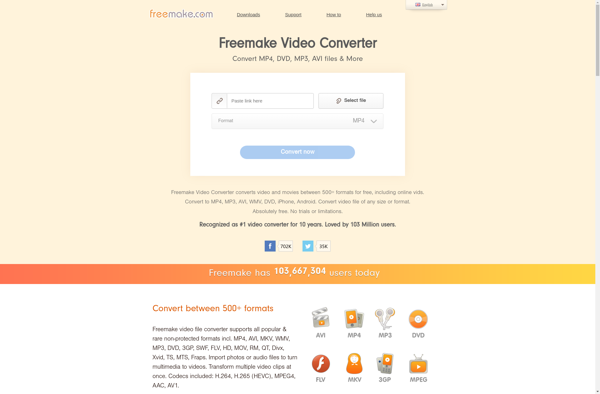
Freemake Video Converter
What Is Freemake Video Converter?Freemake Video Converter is a free video conversion tool for Windows that handles over 500 formats including MP4, AVI, MKV, WMV, MOV, FLV, and 3GP. It also rips DVDs, burns Blu-ray discs, and creates photo slideshows with music.Key FeaturesThe converter supports batch processing, hardware-accelerated encoding, subtitle...

Kigo Video Converter
Kigo Video Converter is a free, easy-to-use video conversion software for Windows. It supports converting video files to a wide range of formats including MP4, AVI, MOV, MKV, WMV, 3GP, FLV, and more. Some key features include:Intuitive and clean interface that is easy to navigate.Fast video conversion speeds leveraging GPU...


FF Multi Converter
FF Multi Converter is a powerful yet easy-to-use file conversion utility. It supports converting between a wide range of audio, video, document, ebook, archive, image, and other formats. Some of the key features include:Batch convert multiple files at onceOver 200 supported input and output formatsRetain original quality and metadata during...


Free AVI Video Converter
Free AVI Video Converter is a free video conversion software specialized for AVI format videos. It enables users to easily convert AVI files to a wide range of other video formats including MP4, WMV, MOV, MKV, FLV, 3GP, and more.With a clean and intuitive interface, the program makes video conversion...

OggConvert
OggConvert is a user-friendly and completely free online audio converter that supports converting audio files between various popular formats. It can handle inputs like MP3, WAV, WMA, FLAC, AAC, M4A, and more, and convert them to formats such as MP3, OGG, WAV, WMA, M4A, and AAC.Some key features of OggConvert...