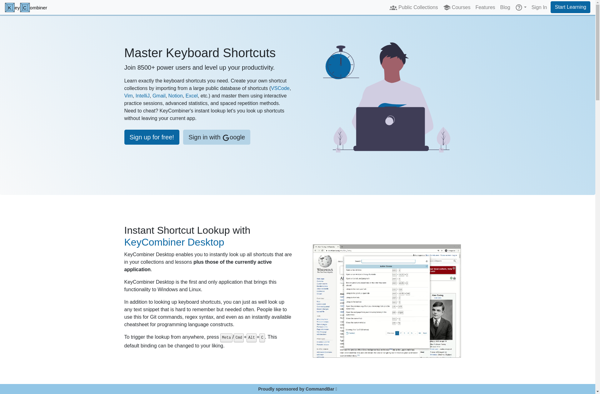
ShortcutFoo is a keyboard shortcut manager that allows you to easily customize shortcuts for various applications. It helps boost productivity by streamlining repetitive tasks.
Boost productivity with ShortcutFoo, a powerful keyboard shortcut manager that simplifies the process of customizing shortcuts for various applications.
What is ShortcutFoo?
ShortcutFoo is a powerful yet easy-to-use keyboard shortcut manager for Windows. It allows you to create custom keyboard shortcuts to automate tasks and boost productivity.
With ShortcutFoo, you can set global shortcuts that work across all applications, as well as app-specific shortcuts. For example, you can set a global shortcut to open your email, or an Excel shortcut to insert the current date. The possibilities are endless!
Some key features of ShortcutFoo:
Create unlimited global and app-specific shortcuts
Assign single keys, key combinations, text snippets or scripts to shortcuts
Sync shortcuts across computers using cloud storage services
Import/export shortcuts for sharing
Handy macro recorder to automate repetitive tasks
Runs quietly in the background until a shortcut is pressed
Lightweight app with very little CPU/RAM usage
With its user-friendly interface and powerful functionality, ShortcutFoo can help you save time and be more productive on your Windows computer. It brings all your keyboard shortcuts together in one place for easy access and management.
ShortcutFoo Features
Features
Customizable keyboard shortcuts
Support for various applications
Productivity enhancement through streamlining repetitive tasks
Shortcut sharing and collaboration with others
Detailed usage statistics and insights
Pricing
Freemium
Subscription-Based
Pros
Improves productivity by automating repetitive tasks
Customizable shortcuts for personalized workflow
Supports a wide range of applications
Allows for sharing and collaboration of shortcuts
Provides detailed usage analytics
Cons
Learning curve for setting up custom shortcuts
Limited free features, requires paid subscription for advanced functionality
Potential compatibility issues with some applications
Hotkey Commander is a lightweight yet powerful hotkey and macro utility for Windows. It enables users to create custom keyboard shortcuts to automate repetitive tasks, launch applications or documents, insert frequently used text snippets, and more.With an easy-to-use interface, you can assign hotkeys to perform various actions such as opening...
KeyCombiner is a multi-platform software utility that provides advanced keyboard shortcut and hotkey capabilities. It allows users to set custom key combinations to quickly launch applications, open files/folders, open websites, run system commands, and more.Some of the key features of KeyCombiner include:Works on Windows, MacOS, and Linux systemsCreate global or...
Ethervane ActiveHotkeys is a keyboard shortcut and automation utility for Windows designed to help users be more productive. It allows you to create custom keyboard shortcuts, hotkeys, and macros to streamline your workflows.Some of the key features of ActiveHotkeys include:Create global hotkeys for quick access to files, folders, websites, applications,...
Hotkey EVE is a free, open source hotkey and macro program designed for gamers. It enables users to create custom keyboard shortcuts and automatically execute sequences of actions, making complex tasks easier to perform in games.With an intuitive interface, Hotkey EVE allows binding single keys or key combinations to perform...
KeyCue is a handy utility that displays keyboard shortcuts for many popular applications on Mac. It sits quietly in your menu bar and shows you relevant shortcuts whenever you switch to a new app - or when you hover over any menu item.This makes remembering hotkeys much easier. Rather than...
KeyRocket is a keyboard launcher and productivity application designed for Mac. It enables users to set up custom keyboard shortcuts to quickly launch applications, run system actions, automate workflows, and more.The software allows you to assign hotkeys to open apps, documents, folders, websites, and various system functions of macOS. For...