
Sitepad
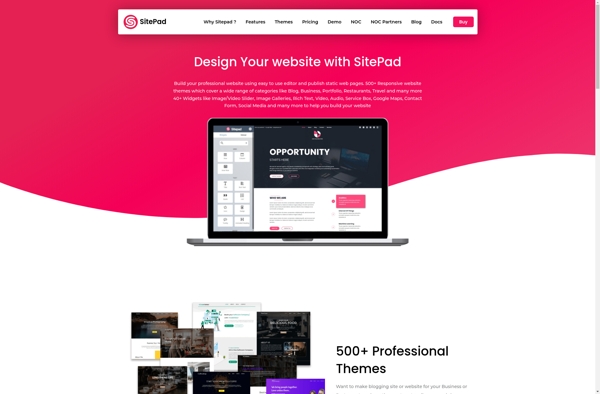
Sitepad: User-Friendly Website Builder
Discover a stress-free way to create professional-looking websites with Sitepad, featuring an intuitive drag-and-drop interface, customizable templates, themes, and blocks.
What is Sitepad?
Sitepad is a powerful yet easy-to-use website builder designed for businesses, organizations, and individuals looking to create a professional online presence without needing to know how to code. It provides an intuitive drag-and-drop interface that allows you to design beautiful, responsive websites in just a few clicks.
With Sitepad, you can choose from hundreds of professionally-designed templates and themes that you can fully customize with your own content, images, videos, and more. It offers simple block-editing so you can easily add sections like headers, text, images, galleries, contact forms, calendars, online stores, and more to your site. Designing and managing your Sitepad site is simple thanks to the user-friendly editor.
In addition to letting you create great-looking sites for free, Sitepad also provides affordable premium plans that add ecommerce features, more storage and bandwidth, advanced analytics, and options for white label sites and removing the Sitepad branding. Overall, Sitepad makes it possible for anyone to build and manage a website with ease.
Sitepad Features
Features
- Drag-and-drop website builder
- Customizable templates & themes
- SEO optimization tools
- E-commerce integration
- Forms & lead capture
- Blogging & news features
- Media galleries & portfolios
- Mobile site builder
- 24/7 customer support
Pricing
- Freemium
- Subscription-Based
Pros
Cons
Official Links
Reviews & Ratings
Login to ReviewThe Best Sitepad Alternatives
View all Sitepad alternatives with detailed comparison →
Top Development and Website Builders and other similar apps like Sitepad
Here are some alternatives to Sitepad:
Suggest an alternative ❐
WordPress

Squarespace

Weebly


Drupal

Joomla

Create Website Builder

Pixpa


Dynadot

UXWeb

Floorspace