SpotMenu
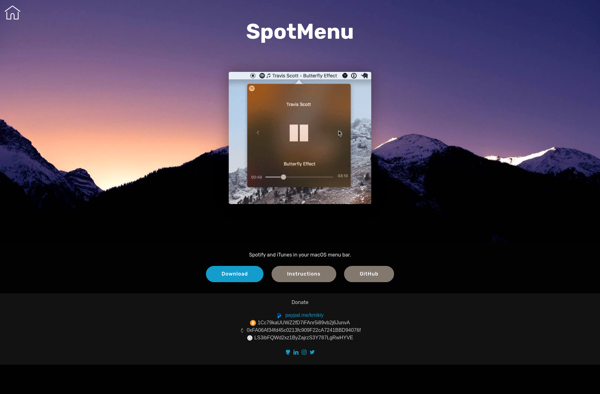
SpotMenu: Free Menu Bar Controller for Spotify
Control Spotify playback and browse playlists directly from your menu bar, all in a free and open-source solution.
What is SpotMenu?
SpotMenu is a free and open-source menu bar controller that provides quick access to Spotify without having to open the main app. It runs smoothly in the menu bar of your Mac and gives you control of all the essential Spotify features.
With SpotMenu, you can play, pause, skip tracks, adjust the volume, and view the currently playing song and artist. You can also browse your playlists, albums, and podcasts without leaving your workflow. It's perfect for people who want to control their Spotify playback quickly while working on other tasks.
Some key features of SpotMenu include:
- Playback controls like play, pause, next track, previous track
- Volume controls
- View the currently playing song, artist, album
- Browse and search playlists, albums, podcasts
- Support for global keyboard shortcuts
As an open-source app, SpotMenu is completely free to use. It's also lightweight, using minimal system resources. For people who frequently use Spotify while working, SpotMenu streamlines access and control without the distraction of the main app window.
SpotMenu Features
Features
- Control Spotify playback from the menu bar
- Browse and search playlists without opening main Spotify app
- View currently playing song, artist and album info
- Keyboard shortcuts for common playback functions
- Support for multiple Spotify accounts
- Dark mode
Pricing
- Free
- Open Source
Pros
Cons
Official Links
Reviews & Ratings
Login to ReviewThe Best SpotMenu Alternatives
View all SpotMenu alternatives with detailed comparison →
Top Audio & Music and Music Players and other similar apps like SpotMenu
Here are some alternatives to SpotMenu:
Suggest an alternative ❐
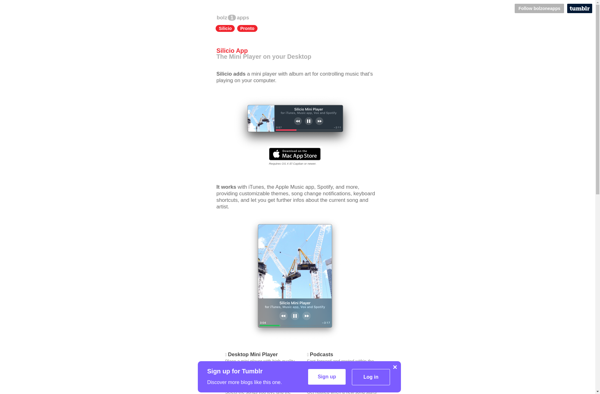
Silicio Mini Player

Bowtie


Spotify Now Playing

BarTunes


NepTunes