The Math Keyboard
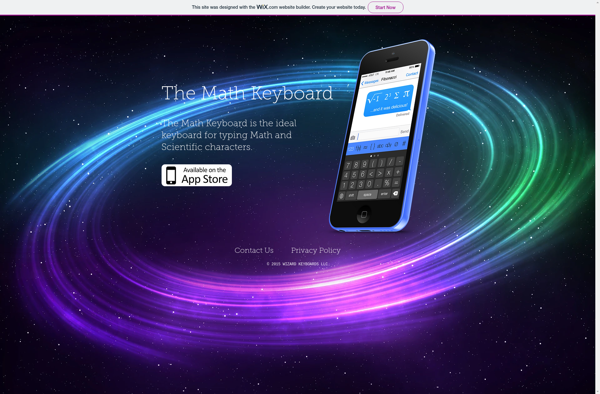
The Math Keyboard: Virtual Math Keyboard
The Math Keyboard is a virtual math keyboard for typing mathematical symbols and equations easily on mobile devices. It allows you to insert common math symbols, Greek letters, operators, and more without switching keyboards.
What is The Math Keyboard?
The Math Keyboard is a specialized virtual keyboard designed specifically for typing mathematical equations and expressions on mobile devices. It provides quick access to a wide range of common math symbols, Greek letters, operators, fractions, radicals, integrals, and more - allowing you to seamlessly insert professional math notation without having to switch between keyboard layouts.
While the default mobile keyboard is great for typing words and sentences, it falls short when you need to enter math notation that includes superscripts, subscripts, special symbols, integrals, summations, and so on. The Math Keyboard solves this problem by providing easy one-tap access to all those math constructs. Simply tap a symbol to insert it.
The app keyboard is optimized for mobile devices and touchscreens. All math symbols, numbers, and letters are grouped into intuitive categories that allow rapid equation input. Frequently used constructs have dedicated buttons while lesser used notations are available after tapping related symbols or categories. Overall, it reduces the frustration of math input on mobile.
The Math Keyboard seamlessly integrates with popular apps and websites that accept text input. After enabling it as a third-party keyboard, you can easily switch to it whenever you need to type math equations in notes, documents, presentations, emails, chats, learning platforms, and more. It saves you from having to memorize LaTeX code or cryptic shortcuts.
With its user-friendly layout focused specifically on mathematical input, The Math Keyboard makes writing math expressions on a smartphone or tablet much faster and easier than what the default keyboard allows. Whether you're a student, teacher, scientist, engineer or perform math-heavy tasks on your mobile device, it's an extremely useful app for efficient math typing.
The Math Keyboard Features
Features
- Virtual math keyboard for mobile devices
- Insert common math symbols, Greek letters, operators
- Supports LaTeX and MathML formats
- Customizable keyboard layouts
- Handwriting recognition
- Syncs across devices
- Offline mode
Pricing
- Freemium
- Subscription-Based
Pros
Cons
Official Links
Reviews & Ratings
Login to ReviewThe Best The Math Keyboard Alternatives
View all The Math Keyboard alternatives with detailed comparison →
Top Education & Reference and Math & Science and other similar apps like The Math Keyboard
Here are some alternatives to The Math Keyboard:
Suggest an alternative ❐
Nuten — The Math and Science Keyboard

SciKey