Video LUT
A video LUT or Lookup Table is used to map color and luminance values to create a specific look in video editing and color grading. Common uses are to match footage or create stylized looks.
Video LUT: Color Grading & Look Creation Tool
A video LUT or Lookup Table is used to map color and luminance values to create a specific look in video editing and color grading. Common uses are to match footage or create stylized looks.
What is Video LUT?
A video LUT or Lookup Table is a small file that transforms the color and luminance values in video footage. LUTs are commonly used in video post-production workflows to achieve the following:
- Match camera footage - LUTs can convert footage shot in log/flat profiles like Sony S-Log or Canon C-Log to standard color spaces for correct viewing and editing
- Match footage from different cameras - Apply LUTs in your editing software to normalize footage from different cameras to similar color and contrast
- Create film looks - Cinematic LUTs emulate the look of classic film stocks like Kodak, Fuji or motion picture film prints
- Stylized grading - Creative LUTs can be used to quickly give footage a stylized ‘look’ like bleach bypass, cross processing etc.
Video LUTs work by remapping the color and luminance data through mathematical formulas to achieve the intended result. Most professional editing software like Adobe Premiere, Final Cut Pro, DaVinci Resolve etc support loading and applying LUTs to transform video clips and timelines.
Video LUT Features
Features
- Color grading and LUT creation
- Batch LUT application
- Real-time LUT preview
- LUT import and export
- Customizable LUT presets
- Histogram and waveform display
- Noise reduction and sharpening tools
- Support for various video formats
Pricing
- Freemium
Pros
Comprehensive set of color grading tools
Intuitive and user-friendly interface
Ability to create and apply custom LUTs
Real-time LUT previewing for efficient workflow
Supports a wide range of video formats
Cons
Limited advanced color grading features compared to professional-grade software
May not offer the same level of precision and control as some higher-end color grading applications
Some users may find the learning curve steeper than more basic color correction tools
Reviews & Ratings
Login to ReviewThe Best Video LUT Alternatives
View all Video LUT alternatives with detailed comparison →
Top Video & Movies and Video Editing and other similar apps like Video LUT
3DLUT mobile
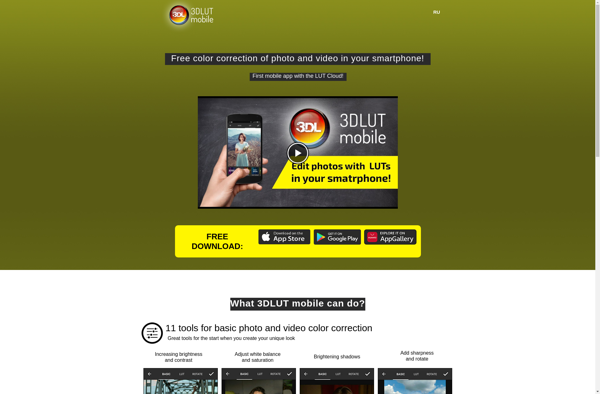
3DLUT mobile is a versatile mobile app for applying 3D LUTs (lookup tables) to enhance the color and style of photos and videos on your phone or tablet. With an easy-to-use interface, it makes the process of importing, managing, previewing, and exporting LUTs extremely simple.Using 3DLUT mobile, you can import...
ColorTime
ColorTime is a color clock and scheduler application designed to help improve focus, relaxation, and sleep. It works by changing the color and brightness of your computer screen to match different activities or times of day.Some key features of ColorTime include:Color themes - Choose from a variety of premade color...

VideoGrade
VideoGrade is a versatile video editing application for Windows, Mac, and Linux. It provides a wide range of professional-level tools for video editing, color grading, visual effects, and audio editing.Some key features of VideoGrade include:Intuitive and customizable interfaceSupport for all major video, image, and audio formatsPrecise color grading with Lumetri...